A practical guide comparing cloud-managed security cameras to traditional NVR/DVR systems. Learn why businesses are migrating to cloud and when on-premise still makes sense.

A well-planned access system should fit the building’s doors, residents, operations, and budget. The right design makes routine entry straightforward while giving managers a clear way to manage permissions.
Apartment building access control systems determine who can enter specific doors and shared spaces, and under what conditions. A credential is presented to a reader or other entry device, and the system checks whether it is authorized. The practical details matter: the equipment must fit the doors, permissions must stay current, and residents need a reliable way to enter.
A reader receives a credential, such as a fob or a mobile signal, while a controller checks the credential against configured permissions. If access is approved, an electronic lock releases the door. The exact arrangement varies: some doors connect to a central controller, while others use locally managed equipment. Understanding that chain helps a building team identify which components may need replacement or ongoing service.
A credential is the means by which a person requests entry; it might be a card, a fob, a PIN, or a mobile credential. The system compares it with permissions assigned to a person or group, then allows or denies entry at the relevant door. A documented example is PointCentral Curb-to-Couch, which provides a single credential for entry to building doors, apartments, and other doors a resident is authorized to access. Permissions should match real access needs, rather than granting every credential the same reach.
When a resident moves or a contractor’s work ends, managers should be able to update or remove the applicable access. That is easier to manage when credentials are tied to individuals instead of shared casually among many people.
An apartment building may have a lobby, parking entrance, package area, laundry room, and other shared spaces, each with different access needs. The system should let authorized people use the doors they need without automatically extending access everywhere. Building teams should also consider how guests and service providers enter, and who is responsible for granting that access.
The PointCentral Curb-to-Couch description includes access to building doors, apartments, and amenities, with a detailed history of who entered, where, and when. That is one example of how access needs can vary by door and by person; each property still needs to define its own permissions and operating rules.
Access systems may be managed through cloud-based software, on-site equipment, or a combination. The choice affects how administrators make changes, how the system depends on network connectivity, and what happens if a connection is interrupted. Discuss the building’s network and operating requirements with prospective providers before settling on an architecture.
This simple comparison can help focus those conversations:
| Architecture | Management approach | Planning question |
|---|---|---|
| Cloud-based | Administrators manage settings through an online service | What happens if the building loses its internet connection? |
| On-site | Equipment and management functions are located at the property | Who will maintain the local equipment and administer changes? |
| Hybrid | Some functions are local and others use cloud services | Which functions depend on the network, and which continue locally? |
The table is a starting point, not a substitute for reviewing a specific system’s operating behavior. Ask providers to explain how permissions are updated, what local equipment is required, and how the system behaves during an outage.
Buildings can choose from several credential and entry methods, and a single property may use more than one. The best fit depends on resident preferences, door hardware, visitor processes, and how the property is staffed. Evaluate the experience at the entrance itself, not just the feature list in a proposal.
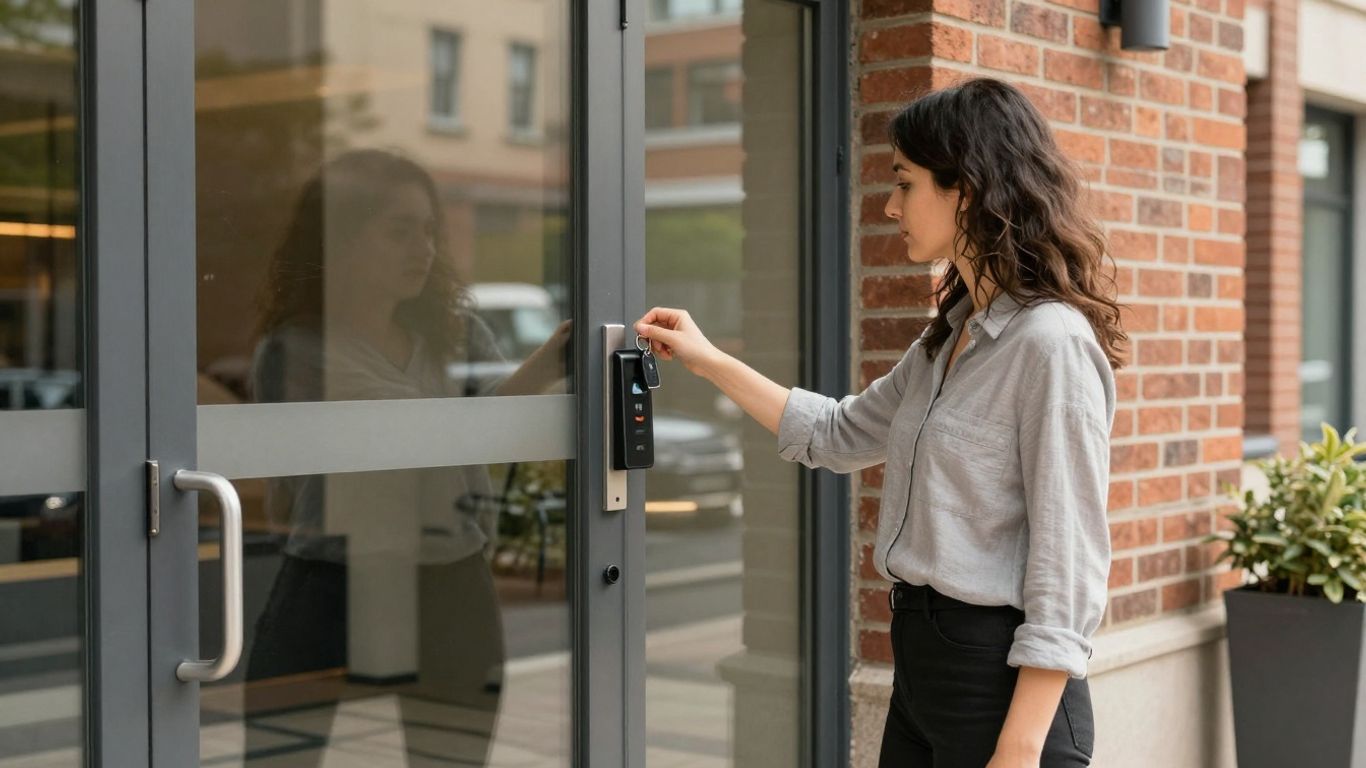
Cards and fobs are familiar options for everyday access. Residents carry a credential and present it to a reader at an equipped entrance. Before selecting this approach, consider how the building will issue replacements, deactivate lost credentials, and manage access for people who do not live there. A key card or fob can be straightforward for residents, but the management process still needs to be clear.
Mobile credentials can let residents use a smartphone to request access, depending on the system and the property’s network and hardware. They may reduce the need to carry a separate fob, but residents need a workable alternative if their phone is unavailable or cannot connect. Nimbio, for example, describes smartphone access to main doors, communal areas, and electric gates, as well as granting and revoking access for residents and service providers.
Consider whether mobile entry suits the resident population and how the building will support people who prefer another credential type. A wireless intercom planning guide can also help frame questions about connectivity and operational fit when visitor entry is part of the project.
Keypads allow entry through a numeric code, which can be useful at shared entrances or for time-limited access. Shared codes are simple to distribute but can be difficult to control once they circulate. Ask whether codes can be assigned by person or purpose, how quickly they can be changed, and what process staff will follow when access should end.
A property may use PINs alongside another credential rather than as its only option. That can preserve a familiar entry path while allowing managers to choose a different method for residents who need or prefer it.
Video intercoms allow a resident or staff member to see or communicate with a visitor before deciding whether to release an entrance. The resident’s experience depends on where calls are received, how visitors find the right person, and what happens when no one answers. Property teams should test those steps as part of a system review.
An intercom does not replace the need to manage credentials and door permissions. Ask whether the access system can work with the intercom already installed, and clarify which functions are supported rather than assuming every device will connect.
For a building team, the important questions are often practical: where a visitor stands, how a resident responds, and who can help when the call does not go through. This overview is useful context, but the proposed setup should be tested at the property.
A suitable system begins with how the property operates, not with a preferred device. Count the doors and identify who uses each one, then compare those needs with the capabilities of the proposed equipment. A careful assessment can help avoid a system that is too limited for the building or unnecessarily complex for its day-to-day requirements.
The number and location of controlled doors affect equipment, network planning, and administration. A small walk-up with one shared entrance has different needs from a multi-building property with separate amenity areas and staff entrances. Include doors that are likely to be added later so the system can accommodate reasonable changes without a complete redesign.
The decision is not only about the number of units. Consider resident traffic, how the property is staffed, and whether entrances need different schedules or permissions. A system that fits the actual layout is easier to manage and explain to residents.
Residents may have different preferences and abilities, and not everyone will want to use the same type of credential. Ask how residents currently enter, what causes delays or frustration, and what alternatives are needed if a phone, card, or keypad is not suitable. A technology upgrade perspective can help teams consider resident convenience alongside security and operations.
The resident experience is shaped by small details: whether a credential is easy to carry, whether visitors can be admitted remotely, and whether assistance is available when something fails. Build those questions into the selection process rather than treating them as an afterthought.
Existing locks, door closers, wiring, and intercoms can affect which system is practical. Have a qualified installer inspect representative doors and identify where hardware may need modification or replacement. Confirm that proposed equipment is appropriate for each opening and that any required wiring or network connection can be provided.
Compatibility should be verified door by door. A product that works at the main entrance may not be suitable for a gate, a fire door, or an interior amenity entrance without additional equipment or a different configuration.
A system needs clear administrative ownership and a support path after installation. Ask what support is available, how faults are diagnosed, and what the provider expects building staff to manage. Review the provider’s proposed approach to reliability, backups, software changes, and adding doors or properties later.
Compare providers based on the operating plan, not just the equipment quote. A wireless intercom buyer’s guide offers relevant questions about network conditions and reliability when the project includes connected visitor entry.
Useful access features help staff apply consistent rules while making ordinary entry convenient for residents. The system should make it possible to distinguish access needs by role, time, and location where supported. Good procedures are just as important: permissions must be reviewed, records handled carefully, and residents told what to expect.
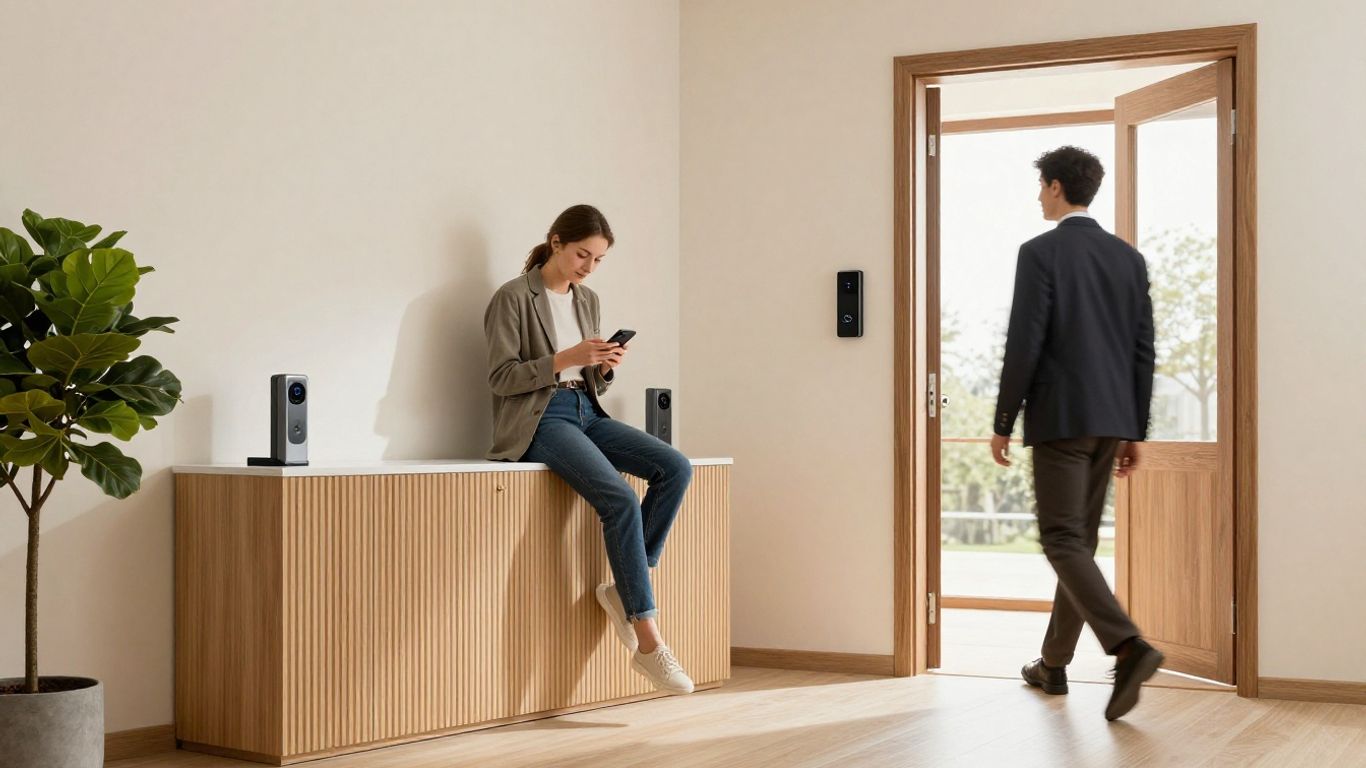
Role-based permissions allow a property to assign different access according to a person’s responsibilities. Residents may need access to their building and shared amenities, while staff or service providers may need access to other areas. The precise permissions depend on the system, so confirm that the proposed design can express the distinctions the property actually needs.
Keep the permission structure understandable. When access rules are too complicated, staff may struggle to apply them consistently or explain why a credential works at one door but not another.
Temporary access can support a scheduled visit or a defined service task without relying on a permanent shared credential. Decide who can issue it, which doors it covers, and when it expires. The process should also include a way to respond if a visit changes or access is no longer required.
Before choosing a system, ask whether temporary credentials are available and how they are created, limited, and revoked. These details can reduce administrative uncertainty, but they do not replace screening or other building policies.
Access logs may help authorized staff understand when credentials were used at controlled entrances. Decide who can review the records and what steps they should take if an entry appears unexpected. A log records system events; it does not by itself establish why someone entered or prove that an incident occurred.
PointCentral Curb-to-Couch describes a detailed history of who entered, where, and when. In any system, administrators should understand what information is available and how to use it appropriately, rather than treating an access record as a complete account of an event.
Integrations can reduce the number of separate steps staff take, but compatibility should be verified for the exact equipment and functions under consideration. Ask which devices connect, what information is shared, and whether one system’s updates affect another. Avoid assuming that a general integration statement covers every model or workflow.
A property can begin with a focused integration plan: choose the most useful connection, test it in the actual operating environment, and document who maintains it. Add further connections only when they solve a defined problem for residents or staff.
Installation planning begins with a site survey and continues through testing, communication, and resident support. The work may affect entrances that residents use every day, so schedule and sequencing matter. Give the installer and property team a shared plan for keeping entry understandable throughout the changeover.
A site survey should record each controlled opening, existing hardware, wiring, and the network conditions needed by the proposed system. Include gates and shared spaces, not only the main entrance. A short, structured survey helps teams spot missing information before equipment is ordered.
For a practical first pass, document:
Use the survey to confirm assumptions with the installer and property staff. Resolving a wiring or coverage question early is generally easier than discovering it during installation.
A retrofit may retain some existing equipment if it is compatible with the proposed system and meets the project’s requirements. A full replacement may be appropriate when current hardware is unsuitable, unreliable, or difficult to support. The choice should follow an inspection of the doors and system components, not a general assumption that one approach always costs less.
Request a clear explanation of what will remain, what will be replaced, and what future maintenance each option requires. Comparing those details makes the trade-off more useful than comparing installation totals alone.
Map the work by entrance and coordinate times with property staff, installers, and residents. If an entrance will be unavailable or operating differently, communicate the change in advance and provide clear directions for alternate entry. Confirm who will be present to answer questions and who can make decisions if the installation uncovers an unexpected issue.
Staged work can make it easier to maintain access while equipment is changed, though the right sequence depends on the building. Test each door before moving to the next phase and keep a record of any temporary arrangements.
Residents need clear instructions on how to receive and use credentials, where to get help, and what to do if access fails. Offer guidance in a format residents can use, and allow time for people to activate credentials before the old process changes. The transition is smoother when staff can answer common questions without sending residents to multiple contacts.
Test the full entry experience with a small group before broad rollout if the project schedule allows. Their feedback can uncover confusing steps or accessibility concerns while there is still time to adjust the plan.
Access control is part of a building’s security practice, not a replacement for it. Technical settings, staff procedures, emergency planning, and resident communication all affect how well the system works. The property should document who is responsible for these areas and review the plan as building operations change.
Treat credentials and administrator accounts as controlled access, not routine conveniences. Limit administrative privileges to people who need them, use strong account-protection practices, and establish a clear process for lost devices or credentials. Staff should know how to remove or replace access promptly when a credential is no longer trusted.
Shared accounts can make it difficult to determine who changed a setting. Where supported, assign administration to individual staff accounts and review those accounts when responsibilities change.
Before collecting or reviewing access records, decide what information is needed, who may see it, and how long it should be retained. Explain the policy to residents in clear terms and follow applicable law and organizational requirements. Limit access to records to legitimate operational purposes.
Policies should address routine use as well as incident response. A defined process helps staff avoid informal or inconsistent handling of information about residents and visitors.
Ask providers how the doors and system behave during a power failure, network interruption, or equipment fault. The answer may vary by lock type and configuration, so verify it for each relevant entrance. Building emergency procedures should align with applicable codes and the requirements for each door.
Identify who can respond to a system problem and how residents will receive updates. Test backup arrangements where possible, and make sure staff understand which steps are appropriate during an emergency rather than improvising at the entrance.
Evaluate the full route through an entrance, including the height and placement of readers, door operation, and the time available to present a credential. Consider residents who may have limited mobility, vision, hearing, dexterity, or access to a smartphone. Review applicable accessibility requirements with qualified professionals.
Offer an appropriate alternative when a particular credential or interaction creates a barrier. Resident feedback and on-site testing can reveal issues that are not obvious from equipment specifications alone.
The initial equipment price is only one part of the cost of access control. Installation, software or service fees, network work, credential administration, and future maintenance can also affect the overall budget. Compare proposals using the same doors, functions, assumptions, and expected operating period.
Ask providers to separate hardware, installation labor, software or subscription charges, and any required network or electrical work. Confirm which doors are included and whether the proposal assumes existing equipment can be reused. Clarify recurring charges and what services they cover so that different bids can be compared on a consistent basis.
A lower initial price may not reflect the ongoing work or service level a property needs. Review the complete operating cost and ask what changes could increase it, such as adding doors or properties.
Include the cost and staff time involved in issuing replacements, changing credentials, and supporting residents who need help. Future upgrades may involve additional hardware, software changes, or network improvements. Ask how the system can expand and what constraints could require a larger project later.
Planning for those possibilities does not mean buying capacity the building will never use. It means understanding which future changes are straightforward and which might require new equipment or installation.
Routine checks can help identify worn hardware, damaged readers, or unstable connections before they disrupt entry. Assign responsibility for inspections and repairs, and keep contact details for the people who support the system. Maintenance should reflect how frequently each door is used and the conditions where its equipment is installed.
Record issues and resolutions so staff can recognize recurring faults. Clear documentation is useful when a new manager or service provider takes responsibility for the system.
Access should be updated when a resident’s tenancy ends, a staff member changes roles, or a contractor no longer needs entry. Define who receives those notifications and who is responsible for changing permissions. A regular review can help catch accounts that were missed during a busy move-out or staffing change.
Keep the process aligned with property records and the system’s capabilities. When responsibilities are clear, removing outdated access is less likely to depend on someone remembering an informal request.
A dependable apartment entry system starts with a clear picture of the building: its doors, residents, visitor processes, network conditions, and operating responsibilities. Compare options against those needs, plan carefully for installation, and treat privacy, accessibility, and ongoing management as part of the design. With that groundwork, access control can support secure, convenient entry without adding unnecessary complexity.
It is a system that checks credentials and controls entry to selected doors or shared areas according to assigned permissions. Systems may use fobs, cards, PINs, mobile credentials, intercoms, or a combination.
There is no single best option for every property. The right choice depends on the building’s doors, resident preferences, visitor procedures, existing hardware, network conditions, and management capacity.
Many systems can be planned around more than one entry method, but the exact options depend on the equipment and configuration. Confirm how credentials work together and how staff will manage them.
Establish a process to report the missing credential, verify the request, remove or disable the old credential where supported, and issue a replacement. Residents should know whom to contact and what to do while waiting.
System behavior varies by equipment and configuration. Ask the provider how each door behaves during power loss, network interruption, or equipment failure, and coordinate the answer with the building’s emergency procedures.
Consider hardware, installation, wiring or network work, recurring service charges, credential replacement, maintenance, staff time, and future upgrades. Compare proposals with the same doors and requirements included.
Review permissions whenever a resident, staff member, or contractor no longer needs access, and establish periodic checks to identify outdated credentials. The right schedule depends on the property’s turnover and administrative procedures.
Connect with us to explore our scalable solutions tailored to your unique needs and receive a personalized free quote.



