A practical guide comparing cloud-managed security cameras to traditional NVR/DVR systems. Learn why businesses are migrating to cloud and when on-premise still makes sense.

A managed service provider, or MSP, takes ongoing responsibility for defined technology or business functions under an agreed service model. The right arrangement can give an organization steadier operations without requiring it to build every capability internally.
The question “what is msp” usually comes from a business leader trying to understand who should own day-to-day technology operations. In most IT discussions, MSP means managed service provider: an outside organization that manages defined systems or functions on an ongoing basis. The arrangement can apply to a small office, a multi-site company, or a larger enterprise with an internal IT team. It is less about handing over every technology decision and more about establishing dependable responsibility for agreed work.
A managed service provider is a third party that performs recurring monitoring, maintenance, administration, and support for a customer. The exact scope is set in an agreement, which may describe covered systems, response expectations, reporting, escalation, and exclusions. Some MSPs focus on information technology, while other managed service models support functions such as workforce administration or supply chain operations.
The useful distinction is continuity. A consultant may be hired for a project, and a break-fix technician may be called after something fails. An MSP remains involved between incidents, watching agreed systems and carrying out routine work that keeps them usable and supported. This overview of managed service providers offers a broader view of how managed arrangements can extend beyond IT.
Traditional IT support is often reactive: a user reports a problem, and someone investigates it. Managed support adds an operating rhythm around that work, including scheduled maintenance, monitoring, ticket handling, documentation, and regular review. The two models can coexist, but an MSP contract normally makes responsibilities and coverage more explicit.
That difference matters when technology is spread across offices, remote workers, cloud services, and network equipment. Instead of relying on one person’s memory or an informal queue of requests, the organization has a defined service relationship. Clear ownership reduces uncertainty when a problem crosses several systems or requires an escalation.
A technology MSP may manage endpoints, networks, servers, cloud environments, identity systems, backups, security controls, and user support. Not every provider offers the same combination, and the label alone does not confirm depth in any particular area. Buyers should read the service description rather than assume that a broad menu means every service is included.
The most useful question is how each service will be delivered. Ask who monitors it, what triggers action, how work is documented, and when the customer is involved. Those details turn a general promise of support into an operating model that can be evaluated.
Organizations use MSPs for different reasons. A small business may need reliable technology support without hiring a full internal department. A midsize company may have staff members who need additional coverage, specialist knowledge, or help with several locations. An enterprise may use an MSP for a defined environment while its internal team retains architecture, governance, and strategic responsibilities.
The fit is not determined by employee count alone. Complexity, operating hours, regulatory expectations, location count, internal skills, and tolerance for downtime all shape the decision. An MSP should be able to adjust its approach without forcing a small environment into an unnecessarily elaborate program.
An MSP operates through a combination of people, procedures, technology, and contractual commitments. The provider first establishes what it is responsible for, then uses monitoring and service workflows to manage that scope. Regular communication matters because systems, users, and business priorities change over time. Harris Technology Services describes its work as supporting physical security, IT, network infrastructure, and managed technology through cloud-managed or on-premise systems, an example of why the operating model must account for the customer’s actual environment.
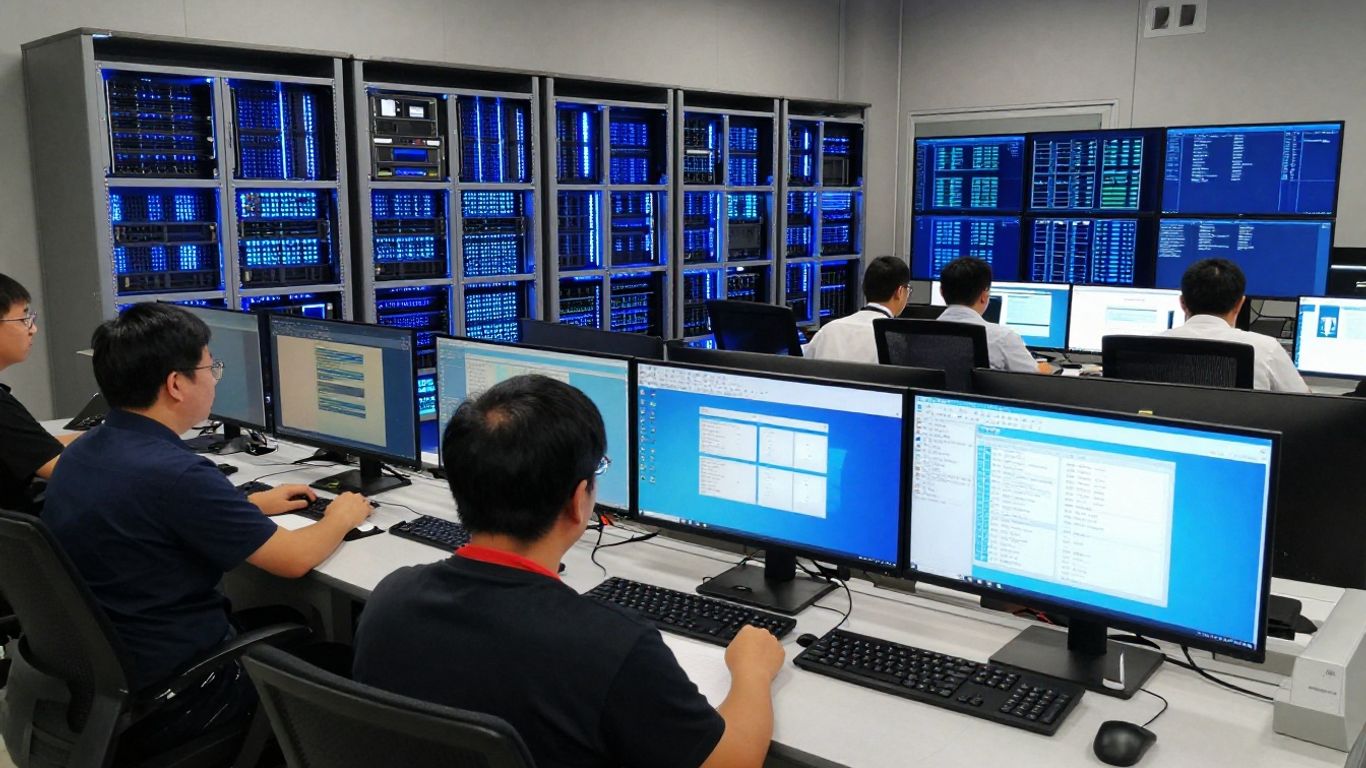
Remote monitoring and management tools collect information from covered devices, systems, or services and help the provider identify conditions that need attention. Depending on the agreement, the provider may use alerts to investigate performance, availability, capacity, or configuration issues. Monitoring does not eliminate the need for judgment; people still need to assess whether an alert matters and what response is appropriate.
The scope should be specific. A customer can ask which assets are monitored, how often checks run, which events create tickets, and whether after-hours alerts receive the same response as business-hours events. These questions reveal whether monitoring is a meaningful service or merely a feature listed in a proposal.
A managed services agreement establishes the commercial relationship, while service-level terms describe practical expectations for support. Those terms may address response time, target restoration time, hours of coverage, severity levels, communication, maintenance windows, and escalation. They should also state what is excluded, because an inexpensive agreement with a narrow scope may not meet operational needs.
A service level is not the same as a guarantee that every issue will be resolved within that period. Response may mean acknowledging or beginning investigation, while restoration may involve a separate target. Reading those definitions closely prevents avoidable disagreement after an incident.
Proactive work includes patching, reviewing capacity, checking backups, updating documentation, and addressing known weaknesses before they become outages. Reactive work begins when a user, system, or monitoring tool identifies a problem. A capable service model needs both: preventive work reduces avoidable incidents, while responsive support limits disruption when incidents still occur.
The balance can be assessed through reporting. Look for recurring issue trends, aging tickets, maintenance completion, backup status, and recommendations that connect technical findings to business impact. These measures help leaders see whether the provider is managing the environment or simply closing requests.
Tools provide visibility, but service quality also depends on technicians, service managers, engineers, documentation, and escalation paths. A customer should know who handles ordinary requests, who makes design decisions, and who takes ownership when several vendors or systems are involved. Continuity is especially important when an organization has multiple sites or a mix of cloud-managed and onsite technology.
A useful operating model makes handoffs visible. Tickets should carry enough context for another technician to continue the work, and recurring problems should lead to documented improvements rather than repeated temporary fixes.
The phrase managed services covers a wide range of work, so two MSP contracts can look quite different. Some focus on endpoint and network operations; others add cloud administration, security, backup management, or end-user support. The service list should be read alongside the delivery details, since a named capability may be limited by hours, asset count, location, or customer responsibility. The goal is a practical match between the organization’s risks and the provider’s actual scope.
Network and infrastructure management may include administration of connectivity, switches, wireless systems, firewalls, servers, workstations, and other supported equipment. Device management can cover configuration, patching, inventory, troubleshooting, and lifecycle planning. The exact boundaries should be recorded, particularly when internet circuits, line-of-business applications, or specialized equipment involve other suppliers.
For multi-site organizations, consistency is often as valuable as individual technical fixes. Standard configurations, documented changes, and clear ownership make it easier to compare performance across locations without pretending that every location has identical needs.
An MSP may help administer cloud services, move selected workloads, manage access, monitor usage, or support data storage arrangements. Cloud responsibility is shared: the provider may manage configuration and operations, while the customer remains responsible for data classification, user decisions, or business requirements. Those boundaries should be written down before a migration or service transition begins.
Cloud management also involves cost and continuity. A useful review considers permissions, retention, service dependencies, capacity, and what happens if an important cloud service is unavailable. “Cloud” is a delivery model, not a complete operating plan.
Security services may include protective controls, monitoring, vulnerability work, access management, and incident coordination, depending on the provider and agreement. Backup management involves more than scheduling copies; the organization should know what is protected, how long it is retained, where it is stored, and how restoration is tested. Disaster recovery adds questions about priorities, acceptable downtime, dependencies, and communication.
No provider can remove every risk. A sound arrangement makes risk visible and establishes practical actions for reducing it. Security responsibilities should also include the customer’s people and processes, not only technical tools.
A help desk gives users a defined path for reporting issues and requesting assistance. Its effectiveness depends on intake, prioritization, communication, knowledge articles, escalation, and follow-up. Coverage should reflect the working hours and locations of the organization rather than an abstract promise of availability.
Some requests are simple, while others expose a deeper system problem. Good support records recurring patterns so the provider and customer can decide whether training, configuration changes, or larger improvements are warranted.
An MSP can provide structure where technology responsibilities have become difficult to manage internally. It may add specialized staff, repeatable processes, monitoring, and a clearer cost model. Those benefits are strongest when the provider’s scope aligns with the organization’s priorities and the customer remains engaged in decisions that affect risk. Harris Technology Services positions its services around integrated physical security, IT, network infrastructure, and managed technology, which illustrates how some organizations may prefer one accountable partner across connected operational areas.

A recurring fee can make technology spending easier to plan than a stream of unbudgeted emergency work. An MSP may also provide access to skills that would be difficult or expensive to maintain across every specialty in-house. Predictability, however, depends on understanding what the monthly charge includes and how projects, hardware, travel, or out-of-scope work are billed.
The financial case should include management time, downtime exposure, training, tools, and the cost of maintaining internal coverage. A low monthly price is not necessarily economical if important work remains uncovered.
Routine monitoring, maintenance, documented procedures, and escalation can improve operational reliability. A provider may also bring more formal security practices than an organization has been able to establish on its own. Results depend on implementation and customer cooperation, so claims should be tied to measurable activities rather than broad assurances.
The customer should receive useful reporting, not just a collection of ticket counts. Reports that show open risks, recurring incidents, backup results, and planned actions give leaders a basis for decisions.
A managed model can support growth by adding users, devices, locations, or services through an established process. It may also help a company standardize technology while preserving exceptions where local requirements justify them. Scalability is not automatic, though; the provider must have the staffing, tools, and governance to absorb change.
Before signing, ask how onboarding works for a new site, how pricing changes with growth, and who approves architectural changes. Those answers reveal whether the relationship can expand without becoming difficult to control.
Outsourcing creates dependencies. The customer may have less direct control over daily execution, may need to adapt to the provider’s processes, and may face friction if responsibilities are unclear. Transitioning away can also be difficult when documentation, credentials, configurations, or operational knowledge are not kept accessible.
A balanced arrangement addresses these concerns in advance. Require clear ownership, usable documentation, data handling terms, exit assistance, and a process for changing scope. Managed service should mean managed accountability, not an absence of customer oversight.
There is no single standard MSP price because the service is shaped around the environment being managed. User count is only one input; devices, sites, infrastructure, security requirements, service hours, and project work also affect cost. A credible proposal explains its assumptions instead of offering a number that cannot be compared with alternatives. Cost should be evaluated alongside coverage and operational risk.
Providers commonly price per user, per device, by service bundle, or through a customized fixed monthly arrangement. Some combine a recurring fee with hourly project work or separate charges for special coverage. The model matters less than whether it maps clearly to the customer’s environment and expected changes.
A per-user model may be straightforward for office productivity support, while a device or site model may better fit infrastructure-heavy environments. Mixed pricing can work when each component has clear boundaries.
Pricing usually rises with broader coverage, more locations, older or less standardized systems, tighter response targets, after-hours support, and specialized security or compliance needs. A provider may also account for onboarding effort, documentation quality, remote access requirements, and the number of vendors involved. These factors explain why two companies with similar headcounts can receive very different proposals.
Ask each bidder to price the same baseline. Then request separate prices for optional services, projects, additional locations, and changes in user or device counts. That makes the comparison more useful than comparing headline monthly totals.
A contract may include monitoring, routine maintenance, service desk access, patching, reporting, administration, and defined incident response. It may also identify supported assets, service hours, included projects, customer responsibilities, and escalation paths. The word “usually” should not be treated as a promise; only the written agreement establishes the commitment.
The contract should connect services to measurable delivery. A coverage table can help clarify the relationship between a service, its operating hours, and the expected response.
| Contract area | What to clarify | Why it matters |
|---|---|---|
| Covered assets | Users, devices, sites, and systems | Prevents scope disputes |
| Support hours | Business hours, after-hours, and holidays | Sets realistic availability |
| Service levels | Response, restoration, and escalation | Defines operational expectations |
| Change work | Included projects and billable work | Separates operations from projects |
After reviewing the table, ask the provider to identify any assumptions behind each row. A precise scope is easier to manage, budget, and revise as the environment changes.
Review charges for onboarding, travel, hardware, licenses, emergency work, after-hours requests, projects, and terminated services. Also check annual increases, minimum terms, renewal notice, data ownership, confidentiality, subcontractors, insurance, and termination assistance. These terms can have more financial impact than a small difference in the monthly fee.
Do not overlook the transition in either direction. The agreement should explain how credentials, configurations, documentation, monitoring data, and backups will be returned or transferred when the relationship ends.
Choosing an MSP is an operating decision, not simply a purchasing exercise. The provider will affect how people report problems, how changes are approved, how incidents are escalated, and how technology risks are discussed. Start with the organization’s real environment and desired outcomes, then test providers against those needs. Harris Technology Services emphasizes assessment and tailored, scalable solutions for organizations ranging from smaller businesses to enterprises, a useful standard for evaluating whether a provider can adapt its approach.
Document the systems, locations, users, devices, business applications, support hours, security concerns, and planned changes that the MSP would need to understand. Include pain points, not just inventory: recurring outages, slow onboarding, unclear ownership, unsupported equipment, or gaps in backup testing can all shape the service design.
A short requirements brief helps vendors respond to the same questions. It also gives internal stakeholders a chance to agree on what must be fixed first and what can wait.
Ask about experience with the technologies your organization actually uses, not only the provider’s general claims. Review certifications where they are relevant, but treat them as one part of the evaluation. Staffing depth, escalation capability, documentation habits, references, and experience with similar operating complexity may be just as important.
For organizations with several facilities or connected physical and digital systems, ask how the provider coordinates work across locations and disciplines. The answer should show a practical process rather than a promise to “handle everything.”
Compare how providers protect administrative access, handle sensitive information, manage privileged accounts, record changes, and respond to security events. Then compare service levels using the same definitions for response, restoration, severity, and coverage. A practical IT services guide can help frame the types of outsourced infrastructure and security responsibilities that may be relevant.
Request sample reports or a walkthrough of the service desk. The aim is to see how a provider turns alerts and requests into decisions, communication, and documented follow-through.
A final discussion should test the relationship as well as the technology. Useful questions include:
The answers should be specific enough to put into the proposal or contract. If a provider cannot explain its boundaries before signing, those boundaries are unlikely to become clearer after service begins.
An MSP is an ongoing service relationship for managing defined technology or business responsibilities, supported by people, tools, procedures, and agreed service levels. The best arrangement is not necessarily the broadest or least expensive; it is the one that matches the organization’s risks, operating model, and plans for growth. Clear scope, practical reporting, security discipline, and accountable communication give leaders a stronger basis for deciding whether managed services are the right fit.
MSP usually stands for managed service provider in an IT context. It can also refer to a managed services program in areas such as external workforce management, so the surrounding business context matters.
A managed service provider performs recurring management, monitoring, maintenance, support, or administration for defined systems or business functions under an agreed scope.
No. A help desk may be one part of an MSP arrangement. An MSP can also manage infrastructure, devices, cloud services, security controls, backups, and ongoing maintenance.
Yes. Small businesses may use an MSP when they need dependable support or specialized expertise without maintaining a full internal IT department. The scope should still be sized to their actual needs.
Pricing may be based on users, devices, sites, service bundles, or a customized monthly arrangement. Coverage hours, technology complexity, security requirements, and project work can also affect the cost.
It should define covered assets and services, support hours, service levels, responsibilities, exclusions, pricing, escalation, security obligations, reporting, renewal, and termination or transition assistance.
Start by documenting requirements and known risks. Then compare relevant expertise, staffing, security practices, service levels, reporting, references, contract terms, and the provider’s ability to support the organization as it changes.
Connect with us to explore our scalable solutions tailored to your unique needs and receive a personalized free quote.



