A practical guide comparing cloud-managed security cameras to traditional NVR/DVR systems. Learn why businesses are migrating to cloud and when on-premise still makes sense.

Managed IT support services give organizations an ongoing way to maintain technology, respond to users, and plan for operational risk. The right arrangement depends on business priorities, internal capability, and the provider’s ability to manage the environment consistently.
Managed IT support services are an ongoing arrangement in which an external provider takes responsibility for defined technology operations. Instead of waiting for a problem and then commissioning a repair, the organization and provider agree on recurring management, monitoring, support, and reporting. The scope can be narrow or broad, depending on the organization’s systems and internal team. A thoughtful managed IT services guide can help decision-makers understand where outsourced support may fit.
A managed service provider begins by documenting the environment, identifying service requirements, and establishing a baseline for normal operation. It then performs agreed tasks on a recurring basis, handles incoming support requests, and escalates issues according to the service agreement. Some arrangements include strategic planning alongside day-to-day technical work.
The model works best when responsibilities are explicit. The provider should know which systems it manages, what access it needs, how incidents are prioritized, and which decisions remain with the client. Harris Technology Services approaches managed technology as part of an end-to-end offering that can include physical security, IT, network infrastructure, and managed technology solutions.
Break-fix support is generally triggered by an incident: a device fails, a user cannot connect, or an application stops working. Managed support still responds to incidents, but it also includes routine oversight intended to reduce avoidable disruption. That shift changes the conversation from the cost of the next repair to the condition of the environment over time.
Neither model is automatically right for every organization. A small or very simple environment may only need occasional assistance, while a growing or distributed business may benefit from regular monitoring and documented processes. The useful comparison is not only hourly price; it is coverage, accountability, risk, and the amount of internal effort each model requires.
Outsourced IT can be useful for small businesses without dedicated technical staff, midsize organizations whose needs have outgrown one generalist, and enterprises that need additional capacity in a specialized area. It can also help organizations with multiple locations maintain more consistent support and infrastructure practices.
The strongest fit usually appears where technology is essential to daily work but the organization does not want to build every capability internally. A provider can supplement skills, provide a defined operating rhythm, and help leaders make decisions without requiring a full internal team for every discipline.
An internal team may understand the organization’s workflows, applications, and culture better than an outside provider. External support can still add value when that team is overloaded, needs coverage outside normal hours, or faces a project that requires network, cloud, security, or infrastructure expertise.
A blended model can be practical. Internal staff may retain ownership of business priorities and sensitive decisions while an external partner handles agreed operational tasks or supplies additional capacity. The boundaries should be written down so that shared responsibility does not become overlooked responsibility.
The exact package varies, but most managed IT support services combine user assistance with recurring technical management. The goal is to keep people productive while maintaining the systems they rely on. A provider may work with cloud-managed, on-premise, or hybrid environments, provided the responsibilities and access requirements are clear.
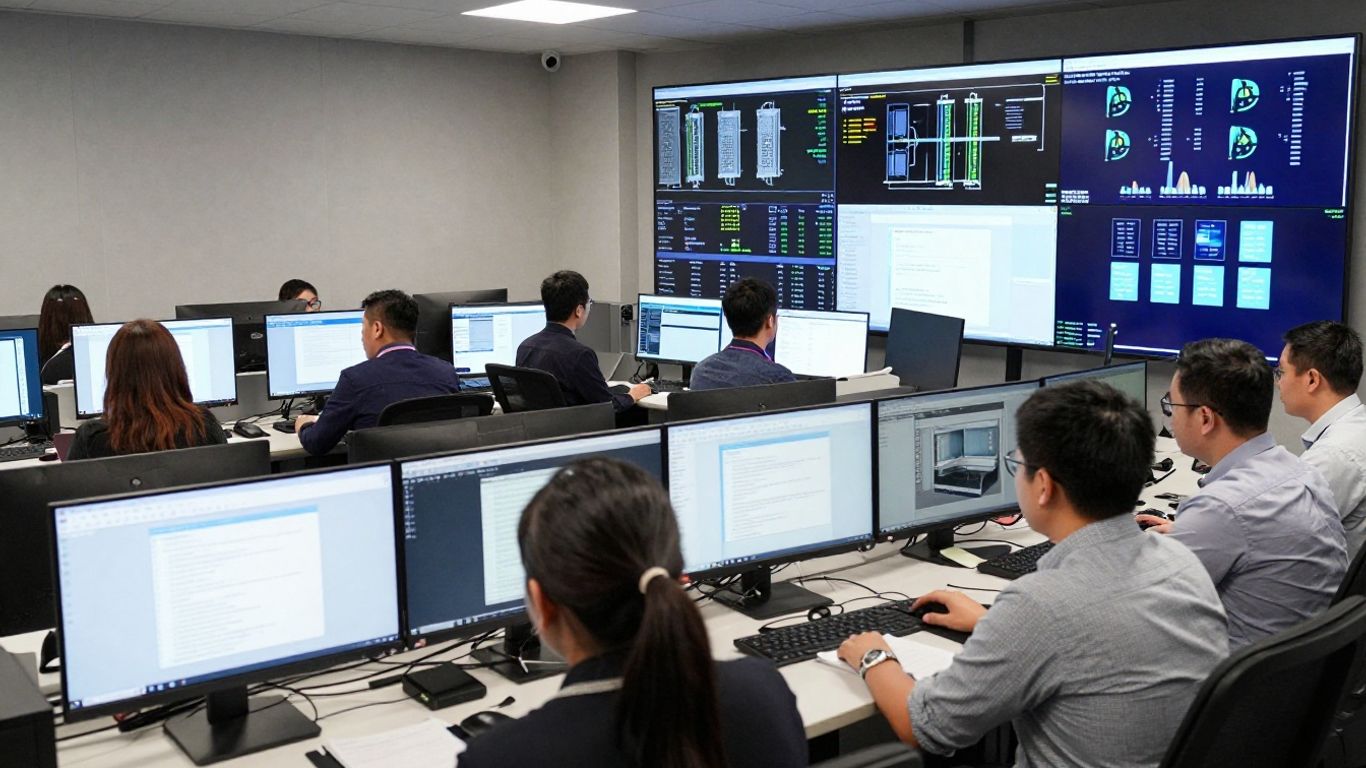
The following image reflects the connected nature of support work across users, devices, infrastructure, and security operations.
A help desk gives employees a consistent place to report technical problems and request assistance. Support may cover account access, devices, connectivity, business applications, and common user questions. Good service also includes ticket ownership, prioritization, communication, and escalation rather than simply answering the first call.
Leaders should ask how users contact support, what information is captured, and how urgent issues are distinguished from routine requests. Those details affect both employee confidence and the provider’s ability to identify recurring problems.
Infrastructure management can include network devices, servers, cloud services, connectivity, and the relationships among them. The provider may monitor availability, review capacity, maintain configurations, and coordinate changes. In a multi-site organization, consistency and visibility become especially important.
The scope should distinguish between management and ownership. A provider may maintain a system without deciding which business applications the organization should adopt. That distinction prevents technical activity from drifting beyond the agreed operating model.
Endpoint work commonly includes maintaining approved devices, applying software updates, tracking configurations, and addressing issues that affect workstation performance. Consistent device practices make support easier because technicians are not troubleshooting a different baseline for every user.
Updates should be planned rather than treated as an afterthought. A provider should explain how testing, scheduling, user communication, exceptions, and rollback are handled when an update affects an important workflow.
Backups are only one part of resilience. An organization also needs to know which information is protected, how often it is copied, where recovery data is kept, and how restoration would be performed. Business continuity planning extends the discussion to people, facilities, communications, vendors, and alternate ways of working.
Ask for evidence that recovery procedures are reviewed and tested. A backup that has never been restored may not provide the confidence leaders expect. The service should also identify who makes recovery decisions and how those decisions are communicated during a disruption.
Managed security support may include monitoring, endpoint protection, access controls, patching, incident coordination, and security-focused reporting. The precise scope matters: “security included” can mean very different things from one agreement to another. Organizations should understand what is monitored, what generates an alert, and who responds.
A practical assessment connects security controls to the organization’s systems and obligations. Harris Technology Services provides integrated security and technology solutions, with management available through cloud-based or onsite systems according to organizational needs.
The value of managed support is not limited to fixing technical faults. It can give leaders a clearer operating model, help employees get assistance through a known process, and create a more consistent way to manage technology risk. Results depend on the environment, scope, and quality of execution.
A provider should connect its work to business outcomes rather than report activity alone. Fewer tickets may be useful, but so are faster recovery, better documentation, improved user confidence, and fewer repeated incidents.
Regular monitoring and maintenance can help identify conditions that lead to service interruptions. When an incident does occur, documented escalation and access to the right expertise can shorten the path from detection to recovery. The provider should explain which availability measures it tracks and what happens when performance falls below expectation.
Prevention also depends on prioritization. Not every issue deserves the same response, so critical systems and business processes should be identified before an emergency occurs.
A recurring agreement can make routine support costs easier to plan than a series of unexpected emergency invoices. Predictability does not mean every cost is fixed. Projects, equipment, major changes, and out-of-scope requests may still require separate approval.
The useful question is whether the pricing structure matches the way the organization consumes support. Leaders should compare included services, assumptions, minimums, and exclusions rather than relying on the monthly figure alone.
Managed support can establish a regular rhythm for updates, access reviews, monitoring, and documentation. That rhythm may make it easier to identify gaps and prepare evidence for internal reviews or applicable requirements. It does not transfer legal or operational accountability away from the organization.
Security also improves when exceptions are visible. A provider should record systems that cannot follow the standard approach, explain the associated risk, and identify a practical mitigation or replacement path.
A clear help desk process reduces the time employees spend searching for assistance or attempting risky workarounds. Faster support is not only about the first response; resolution quality, communication, and the prevention of repeat problems matter too.
Organizations can reinforce this benefit by giving employees simple instructions for reporting issues. Useful ticket information, screenshots, affected systems, and business impact help technicians begin with context.
Growth often introduces new users, locations, devices, applications, and security requirements. A managed provider can help document those changes and apply repeatable practices as the environment expands. This is particularly useful for organizations that need one accountable partner across multiple sites.
Harris Technology Services serves single-site and multi-site organizations nationwide, with solutions designed to scale without over-engineering smaller environments or limiting larger ones. The right scope should still be reassessed as the organization changes.
Choosing a provider is a business decision as much as a technical one. The evaluation should examine operating discipline, communication, security practices, coverage, and the provider’s understanding of the organization’s priorities. A polished proposal cannot replace specific answers about service delivery.
Use the evaluation process to test how the provider thinks. Ask for assumptions, examples, escalation paths, and reporting samples. The best fit is usually the one that makes responsibilities and trade-offs easiest to understand.
The following image shows the kind of coordinated review that should happen before a provider is selected.

Ask whether the provider has managed environments with similar scale, locations, operating constraints, and security needs. Experience should be relevant to the systems and decisions the provider will actually handle, not just a broad industry label.
Discuss both standard environments and exceptions. A provider should be able to explain how it assesses a client, documents the current state, and recommends practical improvements without assuming that every organization needs the same design.
The service-level agreement should define priority levels, response targets, resolution expectations where applicable, support hours, maintenance windows, and client responsibilities. “24/7 support” is not specific enough unless the agreement explains what is monitored and how a human response is initiated.
Pay attention to measurement. A target that cannot be reported consistently is difficult to manage. The agreement should also explain remedies, exclusions, and how performance is reviewed when a target is missed.
Review the provider’s access controls, authentication practices, staff permissions, data handling, incident response, and subcontractor oversight. Certifications may be useful evidence, but they should not replace questions about the actual team and operating procedures assigned to the account.
The provider should also explain how it protects administrative access and how former staff or changed roles are handled. These details often reveal more about day-to-day discipline than a general security statement.
A strong operating relationship has named contacts, routine communications, and a clear escalation path. Ask who communicates during a major incident, how business leaders receive updates, and how technical issues are translated into operational impact.
Communication should continue after onboarding. Regular service meetings can surface trends, pending decisions, recurring incidents, and upcoming changes before they become urgent problems.
References are most useful when they resemble your organization in size, complexity, or service scope. Ask references about responsiveness, transparency, onboarding, difficult incidents, and what they wish they had clarified earlier.
Case studies can provide context, but individual results are not guarantees. Treat them as examples of a provider’s work and ask which conditions made those outcomes possible.
Pricing for managed support usually reflects the number and type of users, devices, locations, systems, coverage hours, and services included. The same monthly price can describe very different levels of responsibility. A sound comparison starts with scope, not a headline rate.
Request a written breakdown of recurring services, one-time work, assumptions, and exclusions. That makes it easier to compare proposals and identify where a low initial quote may shift costs elsewhere.
Providers may charge per user, per device, by service tier, or through a broader fixed monthly agreement. Some combine a recurring fee with onboarding, project, onsite, or after-hours charges. Each model can work when the unit being charged reflects the organization’s actual needs.
The contract should explain how additions and removals are handled. It should also state whether unused allowances expire, how minimum commitments work, and how price changes are introduced.
Cost is influenced by environment complexity, number of locations, device variety, cloud and on-premise systems, support hours, security requirements, and the condition of existing documentation. A highly standardized environment may be easier to manage than one with many unsupported or inconsistent systems.
Geography can matter when onsite support is required. So can the level of strategic planning, reporting, and project coordination expected from the provider.
One-time discovery, migrations, major upgrades, new-site deployments, hardware procurement, onsite travel, and out-of-hours work may sit outside the recurring service. That is not necessarily a problem, as long as the boundaries are visible before work begins.
Ask how approval works for extra services and whether emergency work is billed differently. Written change control protects both sides from surprises.
Normalize each proposal into comparable categories before making a decision. A simple comparison table can reveal which quote includes the coverage your organization actually needs.
| Comparison area | Questions to ask | Why it matters |
|---|---|---|
| Service scope | Which systems and users are included? | Prevents gaps in responsibility |
| Coverage | What hours and channels are provided? | Clarifies access during incidents |
| Security | Which controls and responses are included? | Separates broad claims from defined work |
| Onboarding | What discovery and documentation are covered? | Shows the cost of reaching a manageable baseline |
After normalizing the proposals, review the exclusions and assumptions with the provider. A slightly higher quote may be more economical if it includes work another provider treats as an extra.
Estimate current internal labor, emergency invoices, downtime, delayed projects, security work, and the cost of recruiting or retaining specialized staff. Then compare those costs with the proposed service, while recognizing that some benefits are risk-related and difficult to price precisely.
The calculation should be treated as a decision aid rather than a promise. Include transition costs and review the estimate after the first service period using actual performance data.
A transition is safest when it is treated as an operational project rather than a vendor handoff. The provider needs enough information to understand the environment, but the organization also needs control over access, priorities, and business risk. A phased plan usually creates fewer surprises than an abrupt change.
Keep employees informed about what is changing, how to request help, and where urgent issues should go. Clear communication makes the first weeks more manageable for both users and technicians.
Begin with users, devices, applications, infrastructure, vendors, contracts, access privileges, known risks, and recurring incidents. Identify systems that are undocumented, unsupported, or dependent on one person’s knowledge. This inventory becomes the starting point for onboarding and future improvement.
Do not hide uncomfortable findings. Accurate information helps the provider price the work fairly and helps leaders decide which risks need immediate attention.
Separate essential operational requirements from desirable improvements. Identify critical applications, sensitive information, important locations, peak business periods, compliance obligations, and acceptable disruption levels.
These priorities should shape response levels and onboarding order. A provider cannot prioritize effectively if every system is described as equally urgent.
Create a schedule for discovery, access provisioning, monitoring setup, ticket migration, documentation review, and responsibility transfer. Use controlled access and record who receives administrative permissions. Confirm how credentials, diagrams, inventories, and vendor contacts will be stored.
Onboarding should also include a process for correcting inaccurate documentation. The first version is a baseline, not a finished record.
Tell employees what support covers, how to open a request, what information to include, and when they should escalate an urgent issue. Short instructions and consistent messages are usually more effective than a large technical manual.
Managers should reinforce the new process and report patterns they see. Adoption improves when employees receive useful responses rather than being redirected between teams.
The first three months should focus on stabilizing service, validating the inventory, resolving urgent risks, and agreeing on a practical improvement backlog. It is reasonable to expect discovery findings and adjustments during this period.
Set review points at approximately 30, 60, and 90 days. Those meetings can confirm what has been completed, what remains uncertain, and which improvements should be funded next.
Measurement gives the relationship a shared basis for improvement. A useful scorecard combines service activity with business impact, security outcomes, resilience, and user experience. No single metric can describe the quality of managed support.
Agree on definitions before reporting begins. For example, response time, resolution time, reopened ticket, recurring incident, and uptime should each have a consistent meaning.
Track response and resolution by priority, channel, location, and issue type. Averages can hide serious delays, so review ranges, aging tickets, and exceptions as well. The objective is not to encourage rushed closures; it is to understand whether users receive timely and effective help.
Review reopened tickets and escalations alongside speed. A quick but incomplete answer may create more work later.
Uptime reporting should identify the systems and measurement period involved. Pair it with incident trends to find recurring failures, capacity issues, configuration problems, or vendor dependencies. Repeated incidents deserve a corrective plan rather than an endless series of individual tickets.
For multi-site organizations, compare patterns across locations carefully. Differences may reflect connectivity, equipment, local processes, or business hours.
Review patching status, unresolved alerts, access changes, security incidents, backup completion, and restoration tests. The meaningful question is whether the organization can detect, contain, and recover from a problem—not whether a dashboard is full of activity.
Document exceptions and ownership. A metric without a responsible decision-maker rarely produces sustained improvement.
Use short surveys, ticket feedback, manager observations, and qualitative comments to understand the user experience. Ask whether employees know where to get help, whether communication is clear, and whether recurring technical friction has decreased.
Productivity measures should be interpreted carefully because many factors affect them. Still, a pattern of fewer interruptions or faster issue resolution can help connect support activity to daily work.
Service meetings should examine trends, open risks, upcoming changes, projects, and decisions needed from the client. They should not be limited to reading a dashboard aloud. The discussion should end with owners, dates, and an agreed next step.
Harris Technology Services emphasizes assessment, integration, scalability, and predictable management when supporting organizations with different levels of complexity. That same discipline should shape the review process: measure what matters, explain exceptions, and adjust the service as the organization evolves.
Managed IT support services work best when they are defined around business priorities rather than a generic list of tools. By clarifying scope, comparing providers carefully, planning the transition, and reviewing measurable outcomes, organizations can build a support arrangement that is practical, accountable, and able to grow with their operations.
Managed IT support services are ongoing technology services provided under an agreed scope, often including user support, infrastructure management, maintenance, monitoring, security, and recovery planning.
Break-fix support generally begins after something fails, while managed services combine incident response with recurring maintenance, monitoring, planning, and reporting.
Yes. An external provider can supplement an internal team with additional coverage, specialized expertise, project capacity, or responsibility for defined operational tasks.
It should describe services, covered systems, support hours, priorities, response expectations, escalation, security responsibilities, pricing, exclusions, onboarding, and review processes.
Either approach may be used, along with service tiers or fixed monthly agreements. The best model is the one that clearly matches the organization’s users, systems, and required coverage.
The timeline depends on environment complexity, documentation quality, access requirements, and service scope. A phased transition with discovery and review points usually reduces operational risk.
Useful measures include response and resolution times, uptime, recurring incidents, patching and security outcomes, backup restoration results, ticket trends, and user satisfaction.
Connect with us to explore our scalable solutions tailored to your unique needs and receive a personalized free quote.



