A practical guide comparing cloud-managed security cameras to traditional NVR/DVR systems. Learn why businesses are migrating to cloud and when on-premise still makes sense.

IT services cover the people, processes, systems, and support that keep an organization’s technology useful and dependable. The right approach starts with a clear assessment and continues with measurable service management.
IT services are the organized support, technology, and operating processes that help a business work securely and consistently. They may include user support, networks, applications, cloud environments, data protection, and technology planning. For a small office, this could mean a focused support arrangement; for a distributed enterprise, it may involve coordinated systems across many sites. Harris Technology Services approaches this work through integrated IT, network infrastructure, and managed technology solutions, with cloud-managed or on-premise systems selected according to the organization’s needs.
Technology is now part of nearly every business process, from customer communications and payments to collaboration and reporting. IT services connect those tools to the people and procedures that keep them available, maintained, and protected. Good service management also gives leaders a clearer view of risks and priorities rather than treating every technical issue as an isolated event. An IT service management guide can help decision-makers understand how infrastructure, cybersecurity, support, and operations fit together.
On-demand support is useful when a business needs help with a specific incident, installation, or short-term project. Managed services take a continuing approach, with agreed responsibilities for monitoring, maintenance, support, and planned improvements. The choice depends on internal capability, operating hours, risk, and how much predictability the organization needs. Some companies combine both models, using a regular service arrangement for core systems and specialist assistance for unusual projects.
An internal team offers close knowledge of the organization’s users, applications, and working practices. An outside provider can add broader technical coverage, structured processes, and capacity that would be difficult to maintain in-house. A hybrid model assigns day-to-day ownership to internal staff while a provider supports infrastructure, security, locations, or after-hours needs. The practical question is not which model sounds best, but where accountability, expertise, and response capacity should sit.
Alignment begins by translating business aims into technology requirements. A company opening new locations may need repeatable network deployment and centralized management, while a regulated organization may put evidence, access control, and retention first. Service plans should identify which systems are essential, what level of interruption is acceptable, and how technology decisions support revenue, productivity, safety, or customer experience. That connection keeps IT spending focused on outcomes instead of accumulation.
The phrase IT services covers a wide range of work, and the mix differs from one organization to another. Most environments need some combination of user support, infrastructure care, data services, security, and recovery planning. The categories below are useful for organizing a conversation with an internal team or provider. They should be treated as connected parts of an operating model, not as isolated purchases.
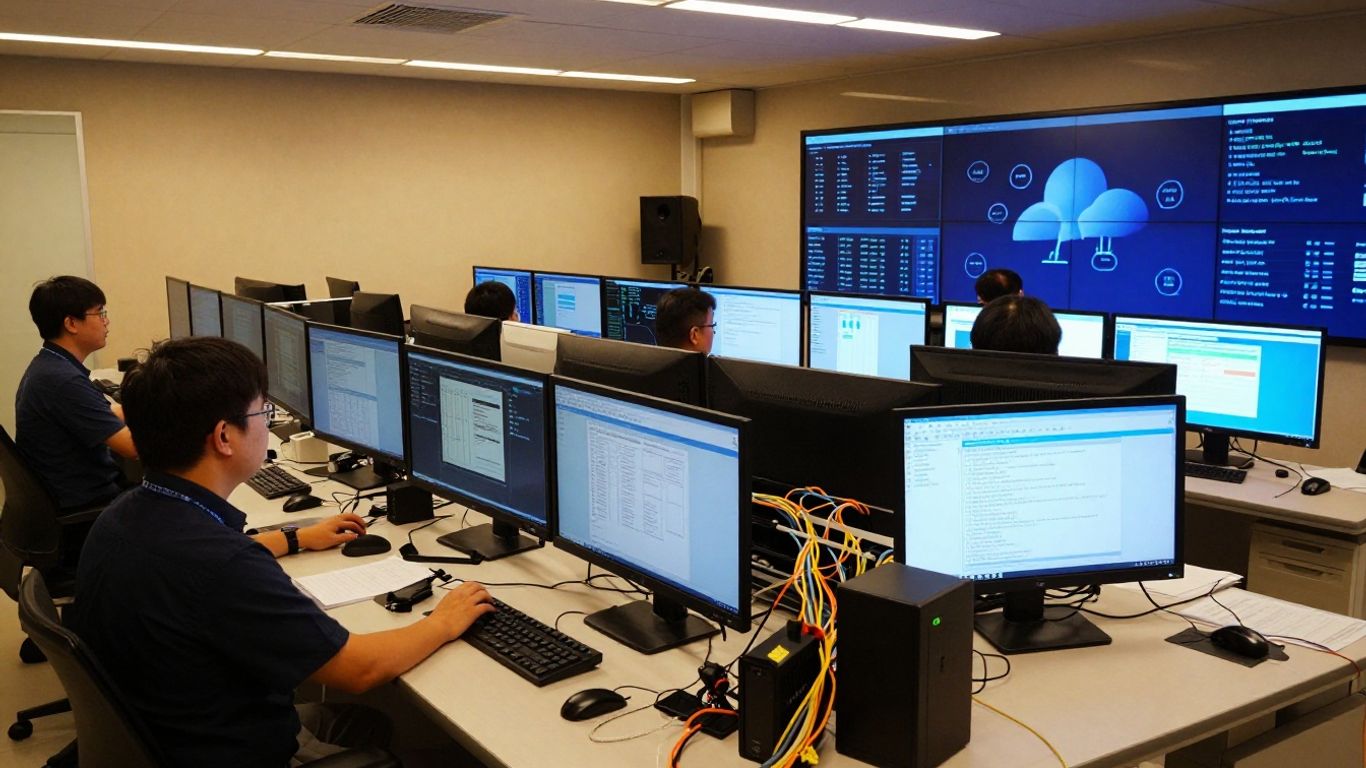
A help desk gives employees a clear place to report problems, request access, and ask how to use approved technology. Effective support records incidents, sets priorities, communicates progress, and looks for recurring causes. It can cover devices, accounts, applications, connectivity, and basic troubleshooting. The goal is not only to close tickets, but to help people return to productive work with as little confusion as possible.
Network and infrastructure management keeps the underlying environment configured, monitored, and maintained. It can include switches, wireless networks, firewalls, servers, endpoints, connectivity, and the physical or virtual systems that support applications. Documentation matters because a provider or internal team needs to understand dependencies before making changes. For organizations with several locations, consistent standards can simplify deployment and make faults easier to isolate.
Cloud services can provide flexible access to computing resources, applications, and storage without requiring every system to run on local equipment. They still require thoughtful administration: permissions, configuration, cost controls, retention, and recovery responsibilities should be clear. On-premise systems may remain appropriate for certain workloads or operating requirements. A sound plan can use cloud-managed and onsite environments together rather than forcing every application into one pattern.
Cybersecurity services help protect identities, devices, networks, applications, and information from misuse or disruption. Typical work includes access management, patching, endpoint protection, security monitoring, vulnerability review, and incident response planning. Data protection also depends on staff behavior, clear policies, and knowing where sensitive information is stored. Security should be treated as an ongoing operating practice, not a one-time technical installation.
Backups create recoverable copies of important information, while disaster recovery addresses how systems will be restored after a serious incident. Business continuity goes further by considering how people will continue essential work during an outage. Plans should name critical services, recovery priorities, responsible people, communication methods, and acceptable recovery times. Testing is essential because an untested plan may fail when assumptions meet real conditions.
A well-designed service model gives an organization more than technical assistance. It creates dependable ways to operate, protect information, respond to disruption, and plan for change. The value is easiest to see when services are tied to business measures such as employee productivity, customer access, operating risk, and the cost of interruptions. Benefits will vary by environment, so they should be defined rather than assumed.
Planned maintenance and monitoring can identify issues before they become major interruptions. A consistent support process can also reduce duplicated work, rushed purchases, and repeated troubleshooting. Outsourcing selected responsibilities may make specialist coverage more predictable than building every capability internally. The strongest cost discussion includes both the service fee and the operational cost of unavailable systems, delayed work, and preventable incidents.
Security improves when access, devices, updates, logs, and response procedures are managed consistently. Service providers may also help organize documentation and operational evidence needed for internal reviews or external requirements, depending on the agreed scope. Compliance itself remains a business responsibility; no provider can remove the need for sound policies and informed oversight. Regular reviews help keep controls aligned with changing systems and risks.
Growth often exposes weaknesses that were manageable at a smaller size. New employees, locations, applications, and customers can increase demand for connectivity, support, identity management, and data capacity. A scalable service model uses repeatable processes and documented standards so expansion does not depend on improvisation. It should also leave room for exceptions where a site or business unit has a genuine operational need.
Employees need working devices, applications, accounts, and networks to serve customers and complete routine tasks. Clear support channels reduce uncertainty about where to get help, while proactive maintenance reduces avoidable interruptions. Reliable access does not mean that every request is handled identically; priority should reflect business impact and the urgency of the issue. That balance helps teams receive practical support without losing sight of critical operations.
Assessment turns a general concern about technology into a manageable set of decisions. Start with the organization’s goals, current pain points, risk exposure, and operating constraints. Include leaders and the people who use systems every day, because each group sees different problems. Harris Technology Services supports organizations ranging from single-site businesses to multi-site enterprises, making scale and location important parts of any assessment.

Begin with evidence rather than assumptions. Review recurring support requests, outages, slow systems, security alerts, failed changes, and workarounds that employees have adopted. Ask which issues interrupt revenue-generating or customer-facing work, and which ones create hidden administrative effort. A short problem register can then separate symptoms from root causes and show where outside help would have the greatest effect.
A useful first pass usually records four areas:
This list is more useful when each item has an owner, a business impact, and a desired next step. It gives prospective providers something concrete to respond to and helps internal teams avoid buying services that do not address the real constraint.
Create an accurate inventory of who uses technology, what they use, and where work takes place. Count employees, contractors, endpoints, network equipment, servers, cloud applications, critical integrations, and locations. Note remote work, seasonal demand, shared devices, and any site-specific connectivity or security requirements. A complete inventory prevents surprises during onboarding, migration, or incident response.
The inventory should also identify dependencies. For example, an application may rely on a particular identity service, network path, database, or vendor connection. Understanding those relationships makes it easier to estimate support effort and prioritize improvements. Update the inventory regularly because technology environments change faster than most formal documentation cycles.
Not every system needs the same service level. Classify systems by the harm caused by loss of confidentiality, integrity, or availability, then set practical priorities for protection and recovery. Consider legal or contractual requirements, customer expectations, operational safety, and the time employees can work without a system. This approach turns a long wish list into a sequence of decisions.
Performance deserves the same discipline. Slow applications may indicate a network issue, capacity constraint, poor configuration, or an application problem. Measurements taken before changes establish a baseline and make later improvements easier to evaluate. Security, availability, and performance should be reviewed together because a change that improves one can affect another.
A useful budget accounts for recurring management, support, licensing, projects, hardware, connectivity, security, training, and recovery testing. It should also distinguish predictable operating costs from one-time remediation or modernization work. The following framework can help organize early conversations without pretending that every organization has the same cost structure.
| Budget area | Questions to ask | Typical planning view |
|---|---|---|
| Support and operations | Who handles incidents, requests, and maintenance? | Recurring service cost |
| Infrastructure | What equipment, connectivity, or hosting needs attention? | Recurring and project costs |
| Security | Which controls, monitoring, and response capabilities are required? | Risk-based investment |
| Continuity | What must be backed up, tested, and restored? | Recurring planning cost |
After separating these categories, compare the budget with business impact and risk. A lower price may leave important responsibilities uncovered, while an oversized package can add complexity without value. The right budget is one the organization can sustain and review as priorities change.
Choosing a provider is a decision about accountability as much as technical ability. The provider should understand the organization’s size, locations, operating hours, applications, security obligations, and plans for change. Ask for a clear explanation of what will be managed, what remains internal, and how the relationship will work during an incident. For organizations seeking a broad operating partner, integrated enterprise IT support is one useful way to frame the discussion.
Look for experience with the technologies and operating conditions that actually matter to the organization. Certifications can indicate structured knowledge, but they should be considered alongside references, documentation quality, staffing, and problem-solving approach. Ask who will perform the work, how specialists are reached, and how knowledge is retained if a team member changes. Harris Technology Services provides IT, network infrastructure, physical security, and managed technology solutions, so its fit should be evaluated against the specific scope an organization needs.
A service level should describe response and restoration expectations in terms that both sides can measure. Review priority definitions, support hours, monitoring coverage, escalation paths, maintenance windows, and reporting. Ask whether response time means acknowledgement, active work, workaround, or restoration; those are different commitments. A provider that explains these distinctions clearly is easier to manage after the contract begins.
Ask how the provider controls administrative access, protects credentials, handles sensitive data, manages changes, and responds to suspected incidents. Request evidence of relevant policies, training, logging, and review practices where appropriate. If compliance support is part of the scope, define the exact evidence, reports, or operational activities included. Avoid accepting broad assurances in place of a documented responsibility matrix.
Pricing may be based on users, devices, locations, service tiers, project work, or a combination of these factors. Clarify what is included, what triggers additional fees, how changes are approved, and how renewals are handled. Contracts should also address data ownership, documentation, transition assistance, access to configurations, and termination notice. Clear exit terms protect both parties by making expectations explicit before the relationship is tested.
Service management continues after provider selection or an internal reorganization. It needs regular communication, shared records, agreed priorities, and enough data to show whether the arrangement is working. Leaders should resist measuring only ticket volume, since a high number of closed tickets can hide recurring failures or poor user experience. The aim is dependable service with visible accountability.
A service-level agreement should connect business needs to specific services, targets, exclusions, and responsibilities. It can define availability, response times, restoration targets, maintenance windows, reporting, and review schedules. A responsibility matrix should show who approves access, owns applications, communicates outages, tests backups, and authorizes changes. Precision at this stage prevents disputes when an issue crosses organizational boundaries.
Choose a small group of measures that reflect reliability and business impact. Useful indicators may include uptime for critical services, first-response time, time to resolution, repeat incidents, backlog age, change success rate, backup-test results, and security remediation age. Metrics need consistent definitions and an agreed reporting period. A dashboard is only helpful when someone uses it to make a decision.
Employees should know where to report an issue and what information to include. Service teams need a path for escalating technical complexity, business impact, security concerns, and executive visibility. During a major incident, regular updates are often more valuable than speculative detail. Afterward, a review should document what happened, what was learned, and which action will reduce the chance of recurrence.
Schedule reviews that examine trends, open risks, upcoming business changes, and opportunities to simplify the environment. Compare results with the baseline established during assessment, not just with a provider’s generic benchmark. If a target is repeatedly missed, decide whether the cause is scope, staffing, process, technology, or an unrealistic expectation. Continuous improvement works best when it produces a small number of owned actions with due dates.
The best IT services model is the one that fits the organization’s real systems, people, risks, and plans. By assessing needs carefully, defining accountability, selecting support that can scale, and measuring performance over time, leaders can make technology more dependable without over-engineering it. The result is a practical foundation for secure operations and sustainable growth.
IT services are the people, processes, technology, and support activities used to deliver and maintain useful technology for an organization. They can include help desk support, networks, cloud systems, cybersecurity, backups, and technology planning.
Managed services provide ongoing oversight under an agreed scope, while on-demand support is requested when a specific issue or project arises. Many organizations use a combination of both approaches.
A small business commonly needs user support, endpoint and network management, cybersecurity basics, data backup, access management, and a plan for recovering from outages. The exact scope depends on its applications, staff, locations, and risk.
They can support access controls, patching, endpoint protection, monitoring, vulnerability management, incident response, security policies, and user awareness. The specific activities should be defined in the service scope.
Separate recurring support and management from projects, equipment, connectivity, security investments, licensing, and continuity planning. Then compare the total with business impact, risk, and expected growth.
It should cover the service scope, responsibilities, support hours, priorities, response and restoration targets, maintenance, reporting, pricing, change procedures, security obligations, data ownership, and exit terms.
Use a focused set of measures such as uptime, response time, resolution time, repeat incidents, change success, backup-test results, and unresolved risk. Review the measures regularly and assign improvement actions to named owners.
Connect with us to explore our scalable solutions tailored to your unique needs and receive a personalized free quote.



