A practical guide comparing cloud-managed security cameras to traditional NVR/DVR systems. Learn why businesses are migrating to cloud and when on-premise still makes sense.

An engage gateway connects compatible wireless door hardware with an access control platform, giving teams a practical way to manage distributed openings. The right result depends less on the gateway alone than on compatibility, coverage, network design, and disciplined commissioning.
An engage gateway serves as a communication bridge between compatible wireless locks and an access control environment. It carries device information and commands between the wireless hardware and the management system, reducing the need to run data cabling to every door. The exact behavior depends on the gateway model, lock family, access control platform, and approved integration.
A wireless lock communicates with a nearby gateway over the radio protocol supported by that hardware family. The gateway must be close enough for dependable communication, while its placement should also allow practical access to power and the wired network or controller connection. Pairing is normally completed through an approved mobile application or management workflow rather than by treating the gateway as a generic wireless access point.
The lock still performs the door-side functions assigned to it, such as reading credentials or reporting local conditions when those capabilities are part of the hardware. The gateway provides the path for those devices to exchange information with the broader access control system. That division is useful when a building has many interior or perimeter openings but limited opportunities for new door wiring.
On the upstream side, a gateway may connect through Ethernet, power over Ethernet, or an RS-485 environment, depending on the documented design. The access control platform then interprets device status, access events, and authorized commands according to its own integration. A gateway is therefore not a substitute for the access control software; it extends that software’s reach to compatible wireless devices.
A useful commissioning test follows the complete path: present a credential, observe the lock response, confirm the event reaches the platform, and send a permitted remote command. The complete communication path matters more than a single green status light on the gateway.
Gateways are helpful when openings are spread across a property, a campus, or multiple floors. They can reduce door-side cabling and make it possible to place wireless locks where wiring would be disruptive, expensive, or difficult to coordinate. They also give an operations team a consistent place to monitor communication and identify devices that need attention.
That convenience does not remove the need for a site plan. Radio obstructions, concrete walls, equipment rooms, network segmentation, and power availability can all affect the final design. For multi-site organizations, a repeatable gateway standard can make deployment and support easier, provided each site is still checked for its local conditions.
These terms are sometimes used loosely, but they describe different roles. A gateway generally bridges compatible wireless devices to another system. A hub may coordinate local devices or provide a particular vendor’s intermediate connection, while an access controller applies access rules and connects the system to readers, locks, inputs, and outputs according to its design.
The names are not interchangeable across manufacturers. Review the wiring diagrams, integration documentation, and software architecture for the exact system rather than assuming that a device called a hub can replace a gateway or controller.
The phrase engage gateway can refer to products used in different integration environments, even when their names appear similar. Capacity, supported locks, connection methods, commissioning tools, and software relationships can vary by model and release. Compare the complete solution rather than selecting equipment from a product name alone.
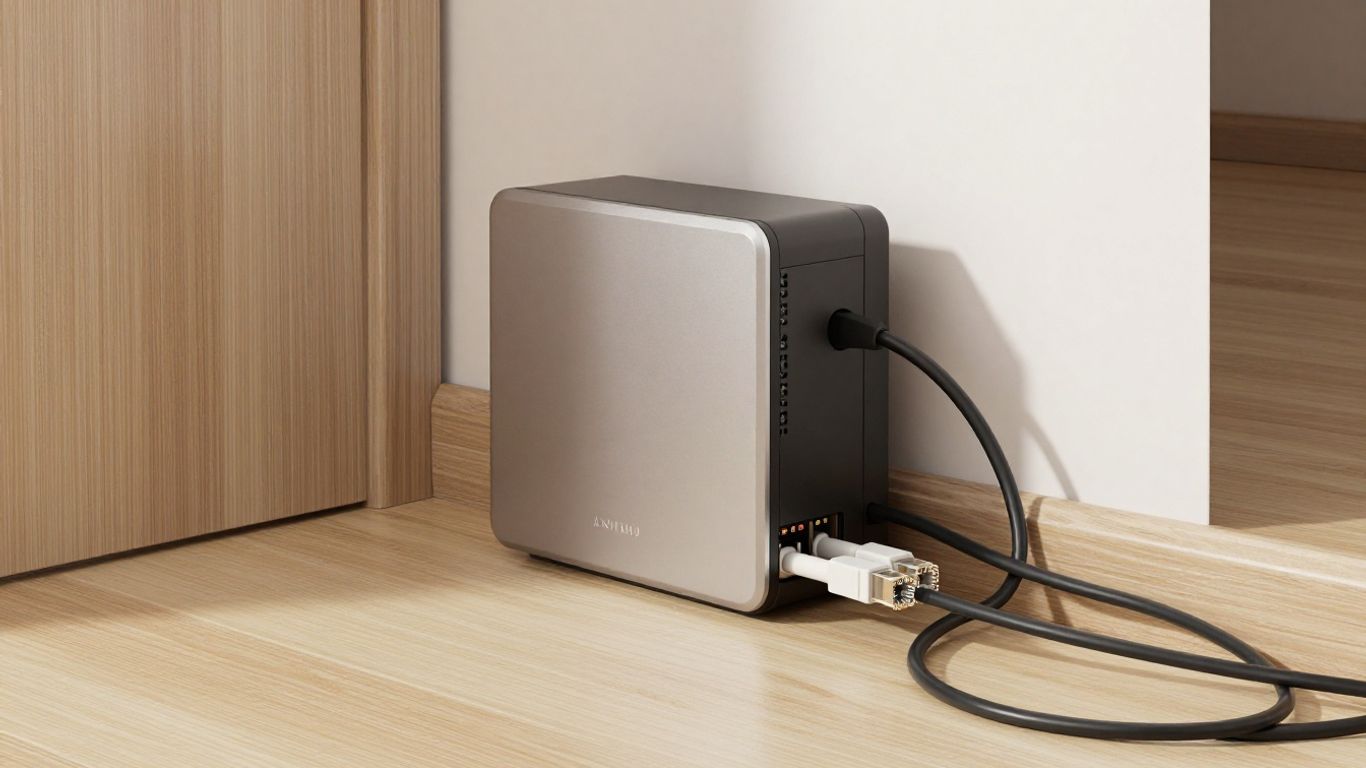
The Schlage GWE and GWE2 product family is documented for connecting ENGAGE technology-enabled devices with physical access control software alliances. The GWE2 material describes support for Schlage LE/NDE and other ENGAGE platform devices, with Ethernet, PoE, and RS-485 options depending on the installation. It also describes secure commissioning through the ENGAGE mobile app and support for up to five wireless devices for that model.
Those details should be checked against the exact part number and current documentation. A prior GWE listing describes compatibility with Control, LE, NDE, CTE, and Von Duprin RU/RM devices, so the appropriate model depends on the hardware and integration being deployed. The Schlage GWE2 gateway reference is a useful starting point for comparing the documented model details.
An integration may use an ENGAGE gateway to connect compatible wireless locks to a particular cloud or access control platform. The setup experience, supported device list, gateway capacity, and power requirements belong to that specific integration, not to the word “ENGAGE” in isolation. Confirm both sides of the connection before assuming that a lock and gateway will work with a chosen platform.
For example, integration documentation may identify separate mobile applications for gateway commissioning and access administration. The Allegion Engage gateway setup guide can help organize that workflow, but the installer should still verify current release notes and site-specific requirements.
The Openpath ENGAGE Gateway from Avigilon Alta is documented as connecting Schlage LEB, NDEB, and Control wireless locks directly to the Alta cloud without a Smart Hub. The source also identifies monitoring of Schlage entry activity in the Alta Access dashboard, real-time event reporting, automatic user access updates, PoE or 12–24V power, and support for up to 10 wireless locks.
These are integration-specific characteristics. The Openpath ENGAGE Gateway page should be read alongside the current Alta and lock documentation when determining whether the proposed doors fit the supported design.
The 3xLOGIC Engage Gateway is documented for ENGAGE-enabled wireless devices, including Schlage Control LE and NDE locks, and for connection with access control software such as 3xLOGIC’s INFINIAS Access Control Solution. Its reference material identifies support for up to 10 wireless devices per gateway and describes Ethernet with PoE or RS-485 connectivity.
The 3xLOGIC Engage Gateway information also describes frequent secure communication between the access control host and linked devices. Treat capacity and command behavior as published specifications for that solution, not as a universal expectation for every engage gateway.
Similar terminology can conceal meaningful differences in lock support, software integration, wireless capacity, power, and network topology. Procurement teams should match the gateway to a door schedule and integration plan, not simply to a familiar brand or an available part number. This is particularly important when replacing older equipment or extending an existing system.
A short compatibility review before purchase can prevent a costly return, a second site visit, or an installation that works only in part. It also gives IT and security stakeholders a shared record of what the gateway is expected to do.
Compatibility is a chain, and every link needs to be valid. The lock, gateway, access control platform, software release, network, power source, and deployment region all influence whether the finished system will operate as intended. A careful review is usually faster than diagnosing an unsupported combination after installation.
Start with the exact lock family and variant, not just the manufacturer name. Check whether the gateway supports the lock’s ENGAGE technology, reader or credential arrangement, door position functions, and required operating mode. Also verify related electronic hardware, including controllers, request-to-exit devices, power supplies, and any interface modules in the proposed design.
A door schedule should identify each opening, hardware type, gateway assignment, and expected access behavior. If a listed lock is not explicitly supported, pause the design and obtain confirmation from the manufacturer or qualified integrator.
The gateway must be compatible with the access control platform as deployed, including its cloud or on-premise architecture and software version. Confirm whether the integration supports event reporting, user updates, remote commands, audits, alerts, or only a narrower set of functions. Also identify licensing, tenant configuration, and administrative permissions before installation.
Version control is especially important during phased projects. A gateway that works at one site may require a different release, connector, or configuration method at another site running older software.
Wireless performance depends on distance, construction materials, equipment placement, interference, and the number of connected devices. Published capacity is not the same as a recommended design for every building. A gateway near a concrete stairwell or electrical room may perform differently from one mounted in an open corridor.
The following comparison keeps the early review focused on the factors that most often change the design:
| Compatibility area | What to verify | Why it affects deployment |
|---|---|---|
| Lock hardware | Exact family, variant, and supported functions | Prevents unsupported door configurations |
| Gateway model | Device capacity and communication methods | Determines scale and infrastructure needs |
| Access platform | Integration, version, licensing, and permissions | Defines available management functions |
| Site conditions | Distance, walls, interference, and mounting points | Influences status reliability and placement |
| Power and network | PoE, voltage, Ethernet, RS-485, and security rules | Determines installation and IT coordination |
This table is a screening tool, not a substitute for the manufacturer’s compatibility matrix. Use it to identify questions early, then validate each answer against current documentation.
Document the gateway’s upstream connection and the site’s ability to provide it. Depending on the system, that may include Ethernet, PoE, RS-485, a specified DC supply, or a combination of these. Network teams may also need to approve switch ports, addressing, firewall rules, cloud access, monitoring, and segmentation.
Power should be considered alongside the network path. A convenient mounting location is not useful if it cannot receive stable power or if a planned PoE connection does not meet the equipment requirements.
Confirm local electrical, fire, accessibility, and building requirements before finalizing the installation. Door behavior, emergency egress, wiring methods, and power arrangements may be governed by the property type and jurisdiction. Product approvals and available configurations can also vary by region.
When the system affects life-safety egress or protected areas, involve the appropriate design professionals and authorities having jurisdiction. The gateway should support a compliant door system, not dictate one in isolation.
A good installation begins before equipment arrives. The planning process should connect the door schedule, wireless survey, network design, power plan, access control configuration, and acceptance tests. For organizations with several locations, a standard worksheet can make the work repeatable while leaving room for site-specific exceptions.
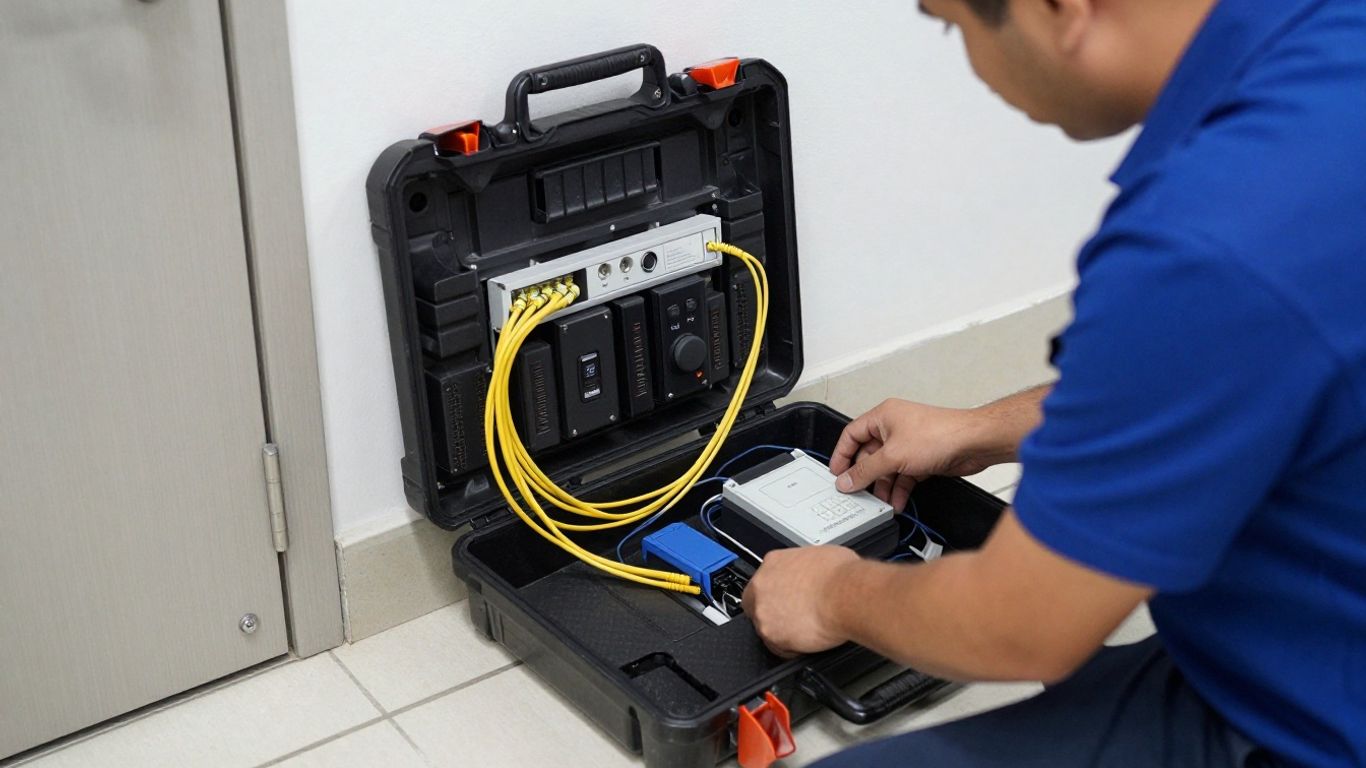
Create a floor plan showing every wireless opening, the proposed gateway location, nearby controller or network equipment, and the likely cable and power route. Assign each door to a gateway only after considering distance and physical barriers. Keep the map current as hardware locations change during construction.
The result should be clear enough for a second technician or remote support team to understand the installation without walking the site. That level of clarity pays off during troubleshooting and future expansions.
Choose a location that protects the gateway, permits service access, and supports the documented antenna and connection orientation. Avoid hiding it behind dense metalwork, inside crowded electrical spaces, or where future maintenance would require disrupting unrelated systems. Confirm the selected power method, backup expectations, and labeling before mounting.
A practical installation usually balances signal quality with serviceability. The shortest cable route is not always the best location if it places the gateway in a poor radio environment.
A coverage plan should account for walls, floors, doors, elevator shafts, machinery, and other radio conditions. Where the site is large or construction is unusual, perform a survey or staged test rather than relying on a distance estimate. Leave enough design margin for normal environmental changes and future device additions.
Use a compact pre-deployment sequence to reduce avoidable rework:
After these checks, record any relocation or exception while the reason is still fresh. That note becomes valuable when a status problem appears weeks later.
Bring IT into the plan before installation day. Confirm switch ports, PoE availability, address assignment, outbound access, firewall treatment, certificate or encryption expectations, and monitoring ownership. Limit administrative access to the people and services that need it, and use the organization’s normal change-control process for production connections.
Security coordination is not merely a final approval. Network restrictions can affect registration, event delivery, updates, and remote commands, so they should be tested as part of commissioning.
Prepare a record containing serial numbers, MAC addresses where applicable, door assignments, gateway locations, software versions, firmware versions, power sources, and responsible contacts. Include the final floor plan and any approved deviations from the original design. Avoid storing passwords in open installation notes.
This documentation gives operations a baseline and makes later expansion more predictable. It also helps an integrator or managed services team distinguish a device failure from a configuration or infrastructure change.
Configuration should proceed from the physical layer upward. First establish power and network connectivity, then register the gateway, pair supported locks, apply approved settings, and test the complete access workflow. Take screenshots or export records where the platform permits, but keep sensitive credentials out of general project files.
Use the platform’s documented enrollment process and confirm that the gateway appears with the correct identity and site assignment. Check administrative permissions, time settings, connectivity status, and any required license or integration relationship. If the device is registered to the wrong site, correct that before pairing locks.
Registration is more than naming a device. It establishes where events, alerts, updates, and support actions will be associated, so accuracy at this stage prevents confusion later.
Pair only supported locks that are physically near the intended gateway and clearly identified in the door schedule. Follow the approved commissioning workflow, then give each lock a unique, meaningful label tied to the opening. Confirm that the platform shows the expected assignment rather than assuming that a completed pairing prompt proves the whole path is healthy.
If several gateways are being installed, pair in small groups and verify each group before moving on. This makes it easier to isolate a range issue, duplicate identity, or incorrect site assignment.
Check the manufacturer and platform guidance for supported firmware combinations before updating anything. Record the starting versions, schedule changes during an approved maintenance window, and avoid interrupting power or network connectivity while an update is active. Afterward, confirm that the gateway and locks reconnect and retain their intended configuration.
Firmware work should be treated as a controlled change, particularly across many sites. A staged rollout can expose a compatibility issue before it affects every opening.
Test from the credential reader through the gateway and into the access control platform. Confirm valid and invalid credential behavior, door status, event timestamps, user updates, alerts, and any authorized lock or unlock command. Repeat tests after a brief communication interruption if the design requires resilience testing.
The acceptance record should identify the door, test performed, expected result, observed result, and person who approved it. Do not rely on a single successful credential read as proof of end-to-end operation.
The video can supplement, but not replace, the system’s current installation and integration documentation. Written records remain the source of truth for the site.
Confirm the door’s behavior during loss of power, loss of network communication, and other relevant fault conditions. The correct result depends on the hardware, code requirements, egress design, and approved access control configuration. Test with the responsible security and facilities stakeholders present.
Record the result for each applicable opening and escalate any unexpected behavior before the system enters service. Never change lock behavior casually to solve a communication problem.
Troubleshooting is faster when symptoms are separated by layer. A gateway can be powered but offline, online but unable to reach a lock, or connected while the access platform has stale information. Begin with the simplest physical and configuration checks, then move toward radio, network, software, and hardware causes.
Check power indicators, cable seating, switch-port status, PoE availability, and recent network changes. Confirm whether the gateway is offline to the local network, the cloud or host, or only the management application. Compare its behavior with another known-good port or gateway when that test is approved.
Review firewall, DHCP or addressing, segmentation, and maintenance records with IT. If the gateway returns after a switch or policy change, document the cause rather than treating the recovery as a complete diagnosis.
Confirm that the lock is supported, has adequate power, is within the intended wireless area, and is not already assigned elsewhere. Recheck the gateway and lock identities against the door schedule, then repeat the documented pairing procedure if appropriate. Avoid repeatedly resetting devices without recording what changed.
A clean test with one lock can distinguish a local pairing issue from a gateway-wide problem. If only one opening fails, inspect that door’s hardware, distance, and physical environment before replacing shared infrastructure.
Intermittent status often points to placement, obstruction, interference, or marginal power rather than an access rule. Compare the affected door with nearby openings, inspect recent construction or furniture changes, and test from the intended final mounting position. A small relocation may help, but it should be validated with repeated status and event tests.
Do not add gateways solely to compensate for an unmeasured problem. First establish whether the issue is range, capacity, network delay, or an unsupported configuration.
Check gateway, lock, application, and access platform versions as a set. Also verify that the credential, user record, access group, and time settings are correct. A successful local setup does not necessarily mean the user is authorized in the central platform.
Use change records and release documentation to identify when the mismatch began. If a recent update coincides with the failure, pause further rollout and consult the approved compatibility guidance.
Escalate when the equipment is unsupported, repeatedly loses communication after infrastructure checks, shows unexplained hardware faults, or behaves differently from documented specifications. Provide serial numbers, model and firmware versions, timestamps, error messages, topology details, and the tests already completed. That information lets support begin with evidence rather than repeating basic checks.
An experienced security and technology services provider can also review the wider design when the symptom spans doors, gateways, networks, and platform administration. The goal is to correct the underlying condition while preserving the approved security and egress behavior.
Once the system is live, gateways should be managed like operational infrastructure rather than forgotten after commissioning. Regular review helps teams see declining communication quality, stale firmware, network changes, and unsupported equipment before they become an access incident. The maintenance owner should be clear for every site.
Track gateway connectivity, device status, missed communications, battery or power indications where available, and recurring alerts. Establish a baseline after installation so that later changes are easier to recognize. For multi-site environments, central reporting can help prioritize a location that has several related warnings.
Monitoring should lead to an assigned response, not just a growing dashboard. Define who investigates, what severity means, and when a field visit is required.
Maintain an inventory of versions and review vendor release information before planning updates. Test changes on a limited group when possible, protect configuration backups, and schedule work during a window that matches the organization’s operational risk. Confirm event delivery and remote commands after each change.
A predictable update cycle is safer than emergency maintenance after support has ended. It also gives IT and security teams time to coordinate network and access-control dependencies.
Review access events, gateway alerts, repeated offline periods, failed commands, and unusual administrative activity according to organizational policy. Logs can reveal a developing infrastructure issue as well as a possible credential or account problem. Keep retention and access rules aligned with legal, privacy, and business requirements.
Use alert thresholds that prompt useful action. Too many low-value notifications can hide the one warning that needs immediate attention.
Use individual administrative accounts, strong authentication where supported, least-privilege permissions, and controlled service access. Remove accounts that no longer have a business need, protect commissioning devices, and keep network connections within approved security zones. Never place passwords or recovery secrets in an open floor-plan record.
Security is also a process matter. Review ownership when staff, contractors, or managed service arrangements change, and retain an auditable record of administrative actions.
Plan replacement when a gateway, lock, application, or network component reaches the end of support or no longer meets the site’s integration requirements. Start with an inventory and dependency review rather than swapping one device in isolation. Confirm migration, firmware, door behavior, event history, and user access before scheduling the cutover.
A planned lifecycle process reduces the chance that a small gateway issue becomes a larger access-control outage. It also creates an opportunity to simplify inconsistent standards across locations.
An engage gateway is most useful when it is treated as part of a complete access control and infrastructure design. Confirm compatibility, plan radio and network conditions, commission the full communication path, and maintain the system after handoff. For organizations that need one accountable partner across physical security, IT, and network operations, a careful site assessment and documented operating model can make the deployment easier to scale and support.
An engage gateway is a device that bridges compatible wireless access hardware with an access control platform or host system.
No. Support depends on the exact lock family, gateway model, firmware, communication method, and access control integration.
Capacity varies by model and integration. Use the published specification for the exact gateway and leave room for the site’s wireless and operational requirements.
Many designs use Ethernet, PoE, or RS-485, but the required connection depends on the gateway and platform. Confirm the installation documentation before selecting infrastructure.
Place it where compatible locks have reliable wireless coverage and where required power, network connectivity, protection, and service access are available.
Test credentials, lock behavior, door status, access events, user updates, alerts, remote commands, and relevant power or communication failure behavior.
Consider replacement when hardware or software is unsupported, recurring faults remain after diagnosis, or the equipment no longer fits the organization’s security and integration requirements.
Connect with us to explore our scalable solutions tailored to your unique needs and receive a personalized free quote.



