A practical guide comparing cloud-managed security cameras to traditional NVR/DVR systems. Learn why businesses are migrating to cloud and when on-premise still makes sense.

A single-door controller can be a practical starting point for organizations that need managed access without installing a larger panel than the site requires. The right purchase depends as much on door hardware, network conditions, and ongoing administration as on the controller itself.
A single-door controller connects the access hardware at one opening with the software used to administer that opening. It is intended for focused deployments where one door needs controlled entry, event visibility, and a manageable path for future changes. The key question is not simply whether the controller fits the door, but whether the complete design fits the site.
The controller receives an entry decision from the access-control system and coordinates the connected door hardware. A reader presents a credential, while the lock, door position sensor, and request-to-exit device provide the physical signals needed for a complete transaction. That arrangement lets an organization distinguish an authorized opening from a forced or held-open condition.
A single opening can still have operational complexity. Staff may need different schedules, temporary access, or a record of activity, so the controller should be evaluated as part of a complete workflow rather than as an isolated circuit board.
A typical design includes the controller, a reader, an electric locking device, a door position sensor, and a request-to-exit input. The exact wiring and power arrangement depend on the selected hardware and the door’s construction. Recessed mounting may be useful where enclosure placement and appearance matter, while an Ethernet connection affects where the controller can be located.
The Brivo Single Door Controller page identifies Ethernet connectivity, OSDP compatibility, recessed mounting, and support for two readers. Those details are especially relevant when a door needs separate entry and exit readers or a design that can accommodate anti-passback control.
Cloud-managed access control changes where administration happens. Rather than requiring an administrator to make every change at the door, authorized staff can manage credentials, schedules, and door activity through the applicable software environment. The approach can reduce the need for dedicated on-site servers, although the site still needs dependable power, network connectivity, and correctly installed hardware.
For organizations with more than one location, centralized administration can make policy changes easier to coordinate. For a single site, the benefit may simply be a clearer operating process and less dependence on a workstation located near the secured door.
A single-door design can suit an office entrance, staff-only area, equipment room, small property, or remote facility. It is also a reasonable fit for a high-traffic opening that needs its own controller instead of sharing a crowded hardware layout. The best use case is one where the door count is limited today and the organization has a clear view of whether more openings may be added later.
The single-entry access resources available for commercial businesses, multifamily properties, and vacation rentals can help frame that decision. Use the operating context to define access groups, schedules, and support expectations before selecting hardware.
Feature lists are useful only when they connect to daily administration. A controller should make routine access changes understandable, preserve useful event information, and fit the organization’s security procedures. It also needs to work with the physical door rather than forcing the door to be redesigned around assumptions.
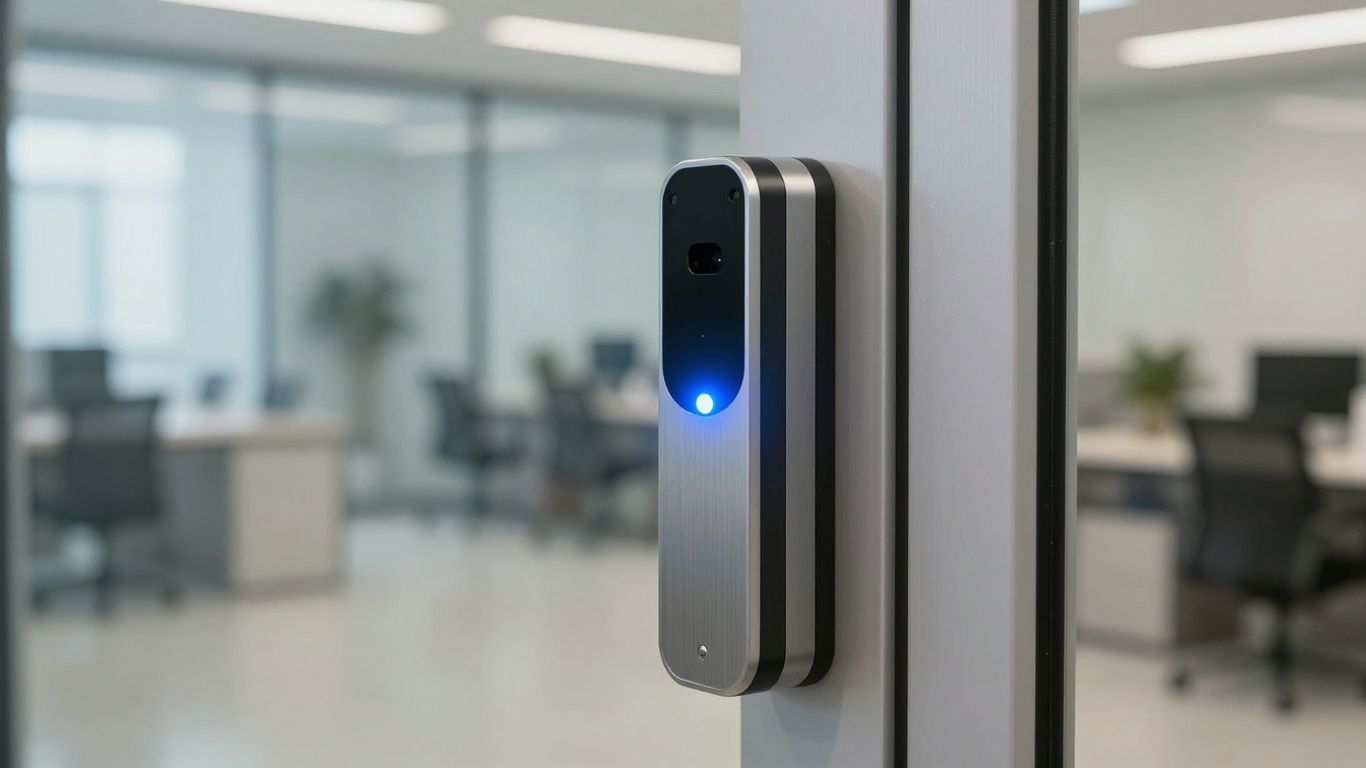
Start by listing who needs access and how they should receive it. Depending on the reader and system configuration, credentials may include mobile devices, smart devices, encrypted smart cards, or keypad-based methods. The commercial card reader systems page describes these credential choices, including Bluetooth-enabled options, encrypted smart cards, and keypad options for multi-factor authentication.
Mixed credential environments deserve particular attention. An organization may need to support existing cards while gradually introducing more secure cards or mobile credentials, so confirm the reader model and credential policy together.
Permissions should reflect working hours, roles, visitors, contractors, and exceptions. A good administrative design separates people into logical groups instead of creating one-off rules for every individual. Schedules should also be reviewed when staffing, tenancy, operating hours, or site use changes.
The Access Control Panels overview describes centralized management of doors, schedules, and credentials through a cloud-managed approach. That capability is most valuable when permissions need consistent administration across locations, but it can also simplify ownership of a single door.
Access decisions tell only part of the story. Door position events, forced-open conditions, held-open situations, and denied credentials can help facilities and security teams understand what happened. Decide in advance which events require immediate attention and which should be reviewed during normal reporting.
The controller’s value is therefore tied to useful event context, not just the ability to release a lock. Clear event visibility helps an administrator investigate a problem without relying entirely on recollection or a nearby employee’s report.
Alerts should be selective enough that staff can act on them. Configure recipients, escalation paths, and review intervals around the site’s real operating hours. Reporting requirements may include routine activity reviews, access investigations, or evidence that permissions were removed after a role changed.
Administrative security matters just as much as reader security. Use individual administrator accounts, limit permissions by role, and document who can change schedules or issue credentials. These controls reduce the chance that a convenient shortcut becomes a persistent access gap.
Compatibility is where many access-control projects become more detailed than expected. The controller, reader protocol, locking hardware, sensors, power supply, enclosure, and network path all have to agree. A short site survey can uncover constraints that are difficult to solve after equipment has been purchased.
Verify the reader’s communication protocol and physical format, then confirm that the locking device matches the available power and the door’s life-safety requirements. OSDP compatibility may affect reader selection and wiring, while two-reader support may matter for in/out control. Request-to-exit hardware and door position monitoring should be treated as part of the design, not optional accessories added at the end.
Do not assume that a controller’s reader support guarantees compatibility with every lock or sensor. Have the installer validate voltage, current, contact type, cable distance, and mounting conditions for the actual door.
An Ethernet-enabled controller needs a suitable network connection at its planned location. Review switch capacity, cable routes, firewall policies, and any network segmentation used by the organization. Power planning should cover the controller and connected hardware, including the expected behavior during an outage.
Enclosure placement affects serviceability and security. The equipment should be protected from accidental damage while remaining accessible to authorized technicians. If the controller is recessed, confirm that the wall, frame, or other mounting surface can accommodate the installation without compromising the door assembly.
A controller is easier to manage when it fits the organization’s broader access-control environment. Confirm how credentials, schedules, event activity, and administrator roles are handled across the software and any existing doors. Organizations with multiple sites should also ask how policies are kept consistent without removing local operational judgment.
The Quick Start Guide for the ACS-SDC Single Door Controller is a useful planning reference for initial connection and configuration. It should supplement, not replace, a site-specific wiring review and commissioning process.
Before approving the order, document the door type, reader locations, lock behavior, network route, power source, and expected user population. Also identify who will administer the system after installation. A written scope prevents a low hardware price from masking missing labor, subscriptions, or electrical work.
Ask the installer to confirm these points in writing:
Those answers create a more useful comparison between bids. They also give operations and IT teams a shared record of what was actually purchased.
Installation quality determines whether a well-chosen controller performs reliably. The work involves more than mounting a box: the door hardware must be laid out, conductors must be identified, software settings must match the physical opening, and the completed system must be tested under ordinary and abnormal conditions. Plan the commissioning steps before the first wire is pulled.
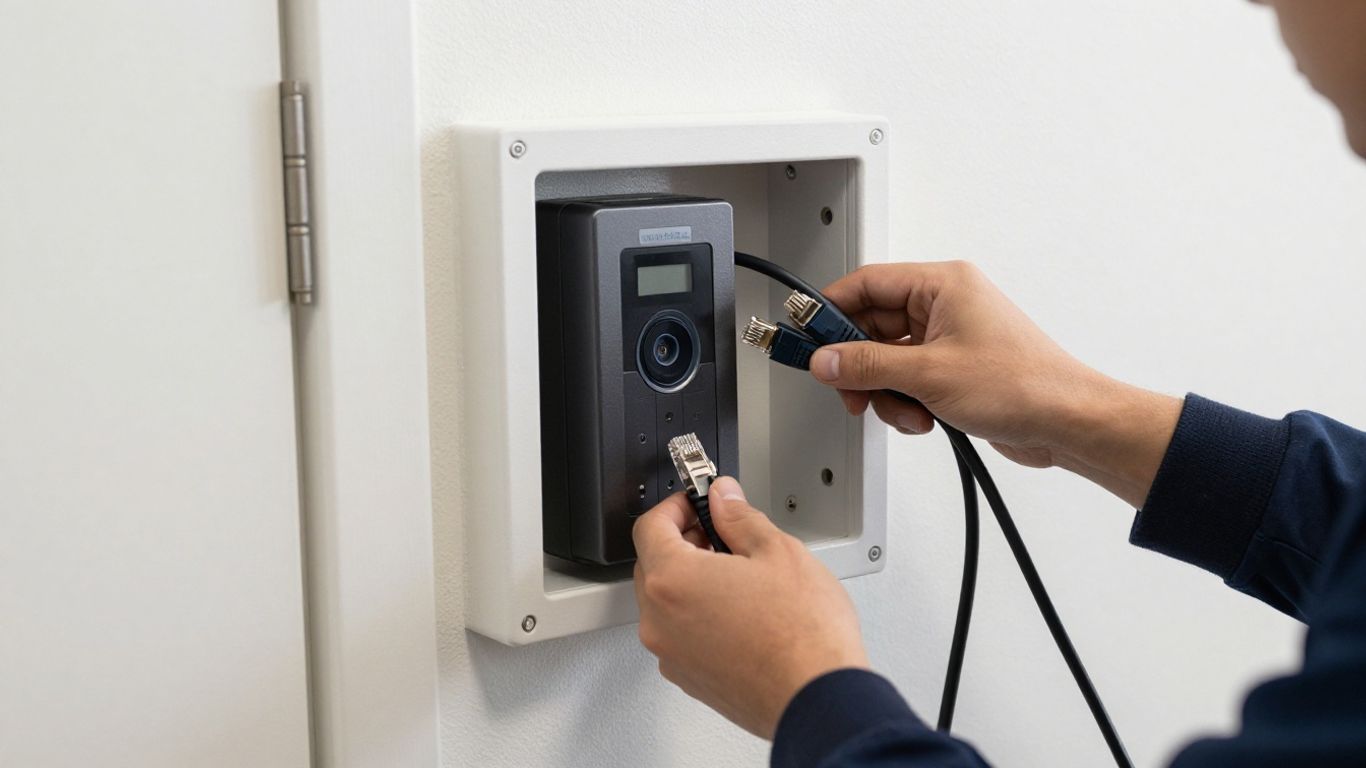
Map the opening from the user’s approach to the secured side. Mark the reader location, lock position, door contact, request-to-exit device, controller enclosure, and cable paths. Consider accessibility, weather exposure, tampering risk, and whether maintenance staff can reach the equipment safely.
A layout drawing also clarifies whether two readers are genuinely needed or whether one reader is sufficient. It gives the installer and the customer a common reference before drilling, cutting, or routing cable.
Wiring should follow the approved hardware documentation and local code requirements. Label both ends of each conductor, separate power and data where appropriate, and verify polarity and termination before energizing the system. The installer should record cable types, power measurements, and any spare conductors left for future changes.
Small wiring errors can appear as software problems later. Testing each input and output at the panel reduces troubleshooting time and makes handoff documentation more credible.
Software configuration should mirror the physical door name, reader direction, schedules, credential rules, and alert recipients. Use clear naming conventions so an administrator can identify the opening quickly, especially when the organization later adds more doors. Record the final settings and administrator permissions as part of the closeout package.
The ACS-SDC setup documentation can support the initial connection and configuration sequence. The installer should still verify the actual site configuration rather than treating a general guide as a substitute for commissioning.
Commissioning should cover an authorized credential, a denied credential, a door held open, a forced opening, request-to-exit behavior, and loss of power or network connectivity. Test from both sides where applicable and confirm that events appear with understandable timestamps and door names. Life-safety requirements and the lock manufacturer’s instructions should govern fail-safe or fail-secure behavior.
A useful test record lists the scenario, expected result, observed result, and corrective action. That record becomes valuable when staff change or a fault appears months after installation.
The first day of operation is only the beginning of access-control ownership. People join, leave, change roles, and need temporary access, while schedules shift with holidays and operating hours. Assigning responsibility for these changes keeps the system accurate and prevents an installed controller from becoming a neglected device.
Create a repeatable process for identity verification, credential issuance, changes, and revocation. New access should be approved by the appropriate manager, while departing users should be removed promptly. Temporary credentials should have an explicit end date rather than relying on someone to remember a later cleanup.
Keep a simple record of who approved each change. That practice supports accountability without turning routine administration into an unnecessarily complicated exercise.
Groups should reflect real job functions or occupancy patterns. Examples might include employees, facilities staff, contractors, and visitors, but the exact structure should follow the organization’s responsibilities. Apply schedules that match those groups and review exceptions separately so they do not quietly become permanent access.
A small deployment benefits from the same discipline as a large one. Clear groups make it easier to answer who can enter, when they can enter, and why a person has access.
Set a regular review cadence for access events and alerts. Look for repeated denials, unusual hours, forced-open conditions, and doors that remain open longer than expected. When an event needs investigation, preserve the relevant time window and document the response rather than changing settings impulsively.
Operations teams should know who receives urgent notifications and who handles after-hours escalation. A technically correct alert is not useful if it reaches an unattended mailbox.
Credential hygiene includes removing stale records, recovering physical cards, and reviewing mobile or keypad access when roles change. Administrator accounts should be individual, protected with strong authentication where available, and limited to the permissions required for the job. Review administrative access periodically, especially after staffing changes.
Document routine maintenance in the same place as other security procedures. Consistency is easier to sustain when the process is visible and assigned to a specific role.
Troubleshooting is faster when the problem is divided into network, credential, hardware, and configuration possibilities. Start with the simplest recent change: a switch replacement, power interruption, schedule edit, reader swap, or door repair. Avoid changing several variables at once, because that can hide the original cause.
Check whether the controller has power and whether the Ethernet link is active. Then review recent network changes, switch ports, addressing, firewall rules, and planned maintenance. If other devices on the same path are also unavailable, the issue may be upstream of the door.
Record timestamps and observed indicators before rebooting. A technician can use that information to distinguish a local power issue from a communications or configuration problem.
Confirm that the credential belongs to the intended person, has not expired, and is assigned to the correct access group and schedule. Check the reader’s credential type and verify that the user is presenting the credential in the expected way. Compare the denial event with a known authorized credential rather than repeatedly testing an uncertain one.
If one credential fails while others work, investigate the user record or credential first. If every credential fails, examine reader communication, door configuration, and the controller’s current state.
Determine whether the issue affects the lock, the door contact, the request-to-exit input, or more than one component. Inspect power at the relevant device, examine terminations, and check whether the door is physically aligned. A sensor that reports open continuously may reflect a mounting problem rather than a software fault.
Do not bypass a safety or monitoring input as a permanent fix. Temporary diagnostic steps should be documented and reversed after the underlying issue is corrected.
Escalate when troubleshooting involves line voltage, repeated controller failures, unexplained door behavior, damaged wiring, or a change to life-safety behavior. Provide the site name, door name, time of failure, recent changes, event details, and the tests already completed. Good notes reduce duplicated effort between facilities, IT, the installer, and support.
The organization should also know in advance whether its installer provides remote assistance, emergency response, scheduled maintenance, or only project closeout. That distinction matters when a single door controls a critical room.
Pricing for a single-door project is rarely just the controller’s purchase price. Hardware, readers, locking devices, power equipment, cabling, installation, configuration, software, and ongoing support can all affect the total. Compare complete, like-for-like scopes rather than selecting the lowest line item.
Request separate pricing for equipment, labor, software or cloud subscriptions, commissioning, training, and support. Ask whether taxes, shipping, electrical work, network changes, and future service calls are included. A predictable operating budget is easier to build when recurring and one-time costs are clearly separated.
Also consider the cost of administration. A less expensive installation may require more manual work or leave internal staff responsible for tasks they expected a provider to manage.
A dedicated single-door controller can make sense for a remote building, isolated opening, or small deployment. Multi-door hardware may be more efficient when several doors are close together and can share an enclosure, power strategy, and service visit. The decision should account for current door count, cable distances, expansion plans, and the value of keeping critical doors segmented.
The panel and door-system options outline the difference between single-door, multi-door, and distributed configurations. Use that comparison to match the architecture to the building rather than buying for an abstract maximum capacity.
A different platform may be worth considering when the required credential types, integrations, offline behavior, hosting model, compliance obligations, or service model do not fit the proposed design. The comparison should remain practical: list the must-have workflows, technical constraints, and long-term ownership responsibilities first.
For some organizations, an on-premise approach may align better with existing infrastructure. Others may value cloud administration across locations. Neither model is automatically right; the decision depends on IT policy, network reliability, staffing, and operational priorities.
Choose an installer that can assess the door, network, power, and software requirements together. Ask for a detailed scope, commissioning checklist, documentation package, warranty terms, response targets, and examples of how changes are handled after handoff. Nationwide organizations may also need consistent standards across locations with local coordination where necessary.
HTS approaches physical security alongside IT, network infrastructure, and managed technology services, which can be useful when one accountable partner is preferred. The strongest buying decision is the one that fits the door today while leaving the organization with a clear, supportable operating model.
A single-door controller can provide a focused way to manage one opening, but reliable access control comes from the complete design: compatible hardware, sound wiring, deliberate permissions, useful monitoring, and dependable support. Assess the site first, price the full lifecycle, and make commissioning and administration part of the purchase rather than afterthoughts.
It is an access-control device that connects the hardware and software used to control, monitor, and administer one secured door.
A typical opening may require a reader, locking device, door position sensor, request-to-exit device, power equipment, cabling, and a network connection, depending on the design.
Requirements vary by platform and configuration. Confirm the network path, local behavior during an outage, and any connectivity requirements with the installer before purchase.
Test authorized and denied credentials, door position events, forced and held-open conditions, request-to-exit behavior, power loss, network loss, and alert delivery.
Review them on a schedule suited to staff turnover and risk, and perform an immediate review after role changes, departures, or changes to operating hours.
Fail-safe behavior releases the lock when power is removed, while fail-secure behavior keeps the lock secured. Life-safety requirements and applicable hardware instructions should guide the choice.
A useful quote separates hardware, installation, wiring, power, configuration, subscriptions, training, warranty coverage, and ongoing support so the total cost is clear.
Connect with us to explore our scalable solutions tailored to your unique needs and receive a personalized free quote.



