A practical guide comparing cloud-managed security cameras to traditional NVR/DVR systems. Learn why businesses are migrating to cloud and when on-premise still makes sense.

Brivo OnAir is best understood as a cloud-based approach to managing physical access, credentials, doors, and activity. A successful deployment depends as much on planning and governance as on the technology itself.
Brivo OnAir is commonly discussed as a cloud-based access control platform for managing who can enter buildings and when. Rather than treating access control as an isolated door-by-door system, it gives organizations a way to organize sites, users, credentials, and access activity through a connected administrative environment. The exact design still depends on the building, compatible hardware, credentials, network, and operating policies. For a broader view of the provider and its security offerings, see this cloud access control overview.
Cloud-based access control moves much of the administration interface away from a dedicated server in a wiring closet. Authorized administrators can manage policies through a network connection, while the access-control hardware at the site continues to make decisions at the door. That separation can make it easier to support multiple locations and coordinate administrative work, provided the network and local equipment are planned properly.
A cloud model also changes the conversation about ownership. IT and facilities teams need to define who administers access, how changes are approved, and how records are retained. The technology may reduce infrastructure managed at a site, but it does not remove the need for sound operating procedures.
The practical work begins with a structured inventory. Each person needs an identity, an appropriate credential, and access rules that match their role. Each door needs a location, a schedule, and a clear relationship to the people or groups who may use it.
Administrators should separate ordinary access from exceptional access. A staff member may need a recurring schedule, while a contractor may need a limited window or a credential that is promptly removed after the work ends. That distinction keeps permissions understandable and makes later reviews less labor-intensive.
An on-premises system typically places more responsibility for servers, software maintenance, backups, and local availability on the organization or its service provider. A cloud-based model changes where those responsibilities sit, but it does not make every deployment identical. Door controllers, readers, locks, power, connectivity, and credential technology still require attention at the facility.
The right comparison is therefore operational rather than purely technical. Consider administrative workload, remote support, resilience requirements, integration needs, and the organization’s preference for cloud-managed or onsite systems. A careful assessment can prevent a business from selecting a model that conflicts with its network standards or staffing capacity.
Organizations with a single facility may value consistent user administration and clearer records. Multi-site organizations may place greater weight on centralized oversight, repeatable policies, and the ability to coordinate changes across locations. The platform can also be considered by teams that want physical access decisions to fit more neatly into broader IT and facilities processes.
The strongest candidates are not defined only by size. They are organizations willing to document access ownership, maintain accurate personnel records, and review permissions as operations change.
A useful way to evaluate Brivo OnAir is to connect each feature area to a daily task. User administration, door schedules, activity visibility, and reporting are valuable when they reduce ambiguity for the people responsible for security and operations. They should not be evaluated as isolated checkboxes. For wider context on cloud-managed physical security, review this unified security platform.
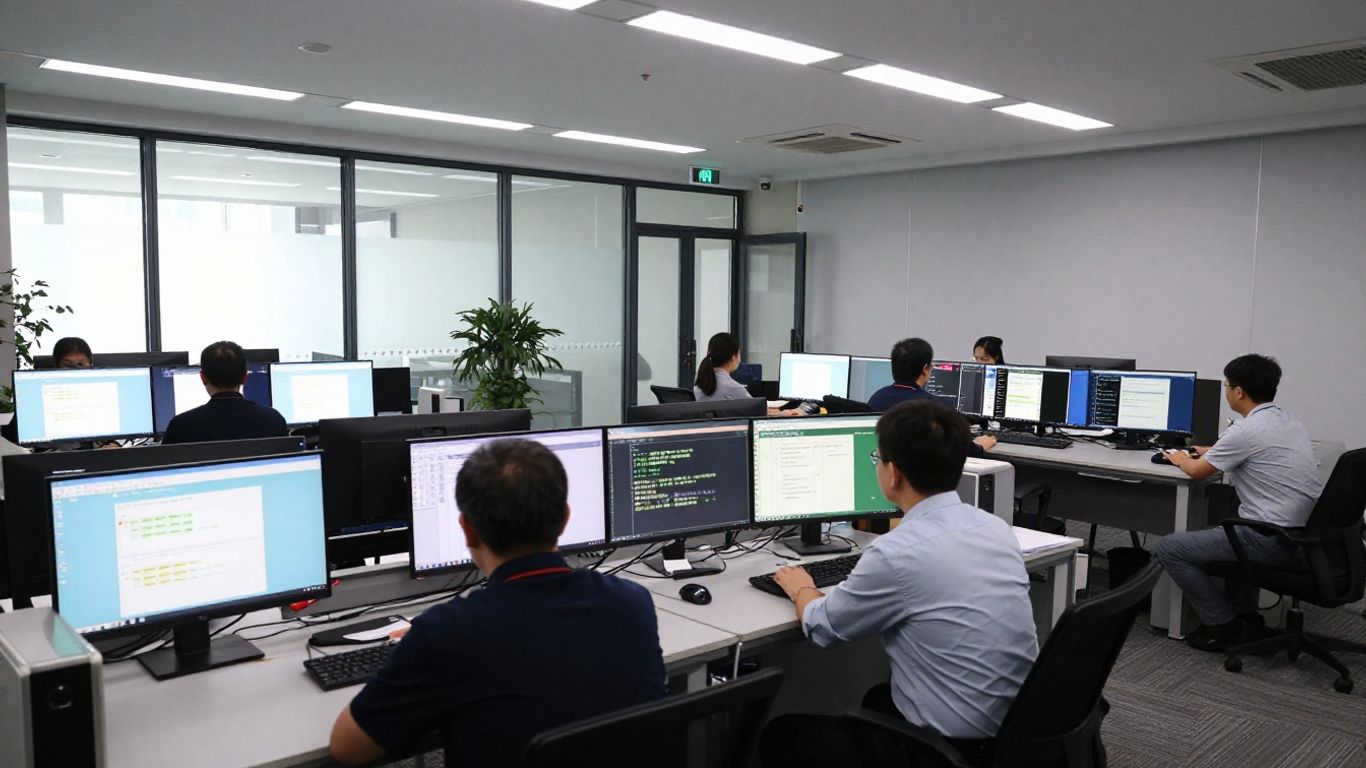
User management starts with accurate identity information and a consistent process for issuing, changing, and removing credentials. Administrators should know who approves a request, who performs the change, and how exceptions are recorded. This is especially important when employees work across locations or change roles frequently.
Credential management also needs a response plan for lost cards, shared credentials, temporary workers, and departures. A clean process makes revocation prompt and reduces the temptation to leave old access active simply because changing it feels inconvenient.
Door permissions should reflect actual work patterns rather than broad convenience. A schedule might distinguish normal business hours, after-hours maintenance, weekends, holidays, and restricted areas. Groups can help simplify administration, but they should be reviewed so that membership does not quietly expand beyond the original purpose.
The most useful design is usually the one that a second administrator can understand. Clear names, documented owners, and limited exceptions make troubleshooting faster and reduce accidental over-permissioning.
Activity monitoring gives authorized personnel a way to review access events as operations unfold. The value is not simply seeing a stream of events; it is being able to recognize unusual timing, repeated denied attempts, or activity at a location that should be quiet.
Monitoring procedures should define who watches events, what requires escalation, and when an event becomes part of an incident record. Context matters more than volume: an event is useful when staff can interpret it against schedules, users, locations, and known work.
Reports and audit trails support routine reviews as well as investigations. They can help teams confirm that permissions were changed appropriately, identify stale accounts, and document the sequence of access-related actions. Reports are most useful when they answer a defined question rather than being generated without a review process.
A small operating calendar can make reporting more consistent. Review active users, unusual events, administrator activity, and exceptions at a frequency that matches the organization’s risk and change rate. The result is a practical record of how access is being managed, not just a large archive of events.
Planning should begin before anyone installs a reader or imports a user list. The organization needs a shared picture of its buildings, doors, people, policies, network dependencies, and operational goals. This is where a deployment becomes tailored to the business rather than copied from a generic template.
A site assessment is also an opportunity to coordinate physical security with IT and infrastructure requirements. Organizations that need help aligning those workstreams can consider integrated security planning as part of the broader design conversation.
Walk each site and record the doors that need controlled access, the spaces behind them, the current locking hardware, emergency egress conditions, and nearby power and network resources. Include doors that are easy to overlook, such as loading areas, server rooms, records storage, and staff entrances.
Then classify the risks. A public lobby, a finance office, and a network room may need different schedules, approval paths, and monitoring expectations. The assessment should also document what happens during power, network, fire-alarm, or equipment failures.
Hardware selection should follow the door and operating requirement, not the other way around. Confirm reader types, controllers, locks, power supplies, request-to-exit devices, door-position monitoring, and any required interfaces. Credential choices should account for user convenience, replacement procedures, mobile-device policies, and areas where a physical credential remains appropriate.
Compatibility should be verified before procurement. A short validation exercise can expose wiring, enclosure, reader, or network issues while changes are still relatively inexpensive.
Build the access model around job functions and locations. A small organization may need only a few carefully defined groups, while a larger one may need a hierarchy based on region, department, building, floor, or shift. Avoid creating a unique permission set for every person unless there is a documented reason.
A practical access model usually includes:
These controls make administration more predictable. They also give auditors and managers a reasonable explanation for why a person can enter a particular area.
Migration is more than copying names into a new interface. Start by identifying active users, duplicate records, expired credentials, door naming conventions, schedules, and historical records that must be retained. Decide which data is authoritative and how exceptions will be handled during the transition.
A phased migration can reduce disruption. Test a representative location or user group first, compare expected access with actual events, and keep a rollback or contingency procedure available until the new process is stable.
Setup should follow the approved design rather than become an improvised configuration exercise. Establish naming conventions, administrative roles, site structure, door relationships, and credential procedures before inviting broad participation. This creates a foundation that is easier to support as the organization grows.
The initial configuration should also be documented. Screenshots, configuration notes, hardware identifiers, and decision records can save time when another administrator takes responsibility or when a site needs troubleshooting later.
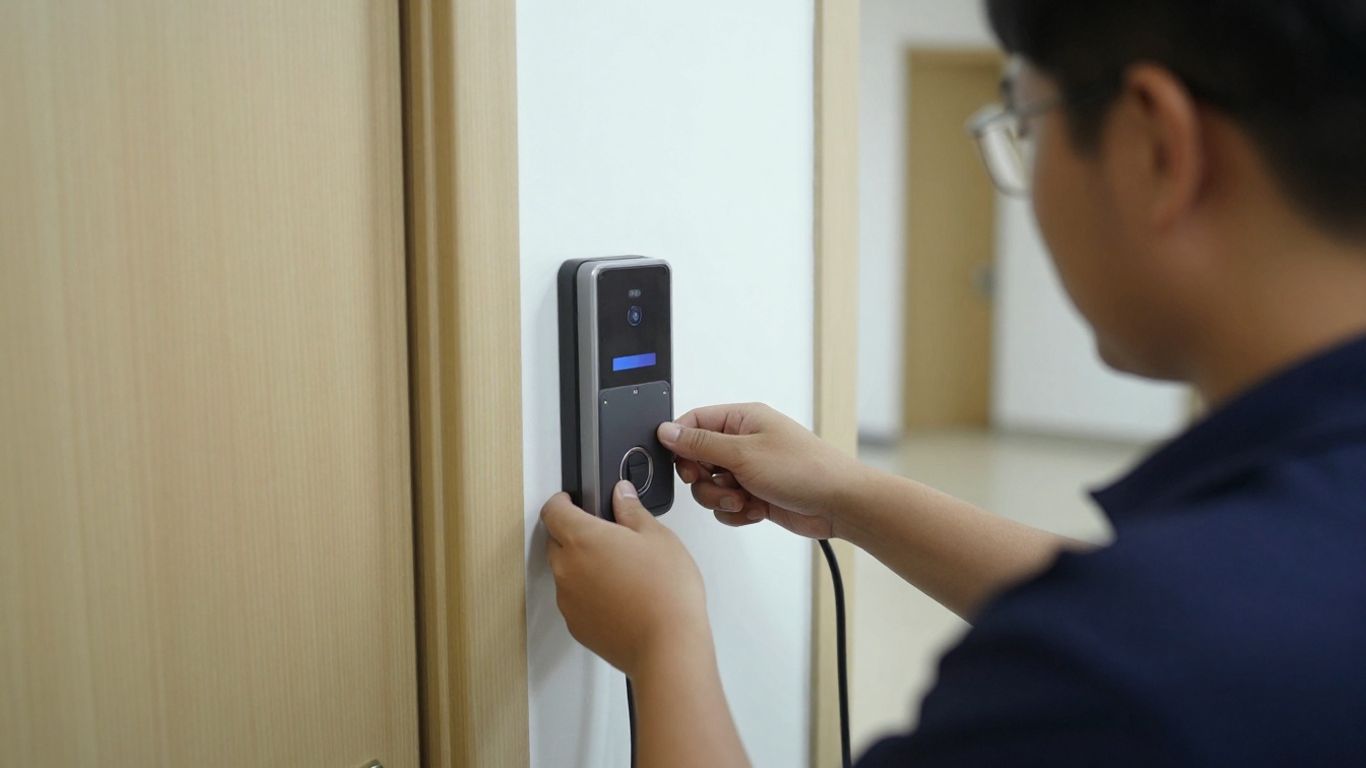
Begin with the organization’s administrative account and define who may perform configuration, user administration, reporting, and support tasks. Use individual administrator identities rather than shared logins, and record the approval for each elevated role.
Next, apply the agreed naming standards. Consistent names for sites, doors, groups, and schedules make searches and reports clearer. The early setup is a good time to confirm time zones, operating calendars, notification recipients, and escalation contacts.
Add physical locations in a way that mirrors how people work and how support is delivered. Each door should have a useful name that identifies both its function and location. Confirm that the associated control panel, reader, locking hardware, door position, and request-to-exit components correspond to the design documents.
After installation, verify basic behavior at the door. A successful connection alone does not prove that the lock, sensor, reader, and emergency behavior operate as intended.
User enrollment should follow an approved request. Confirm the person’s identity, department or role, site needs, credential type, and start date before issuing access. If a credential is handed over in person, explain basic use and the reporting process for loss or suspected misuse.
Keep enrollment records consistent with the organization’s personnel process. When a person changes role or location, update access through the same controlled workflow rather than adding a second set of permissions without reviewing the first.
Testing should include ordinary users, restricted users, temporary credentials, schedules, holidays, denied attempts, and administrator actions. Perform tests at representative doors and under realistic conditions, including after-hours behavior where relevant.
Record expected and observed results. If an access rule fails, correct the underlying group, schedule, credential, hardware, or configuration rather than relying on an informal exception. A final sign-off should identify who reviewed the test and when the system was approved for normal use.
Access control becomes dependable through routine management. Onboarding, visitor handling, credential changes, incident response, and record review should each have an owner and a defined service expectation. When these activities are left to memory, gaps tend to appear during busy periods or staff changes.
A written procedure does not need to be lengthy. It needs to tell the next person what to verify, what to change, and when to escalate.
Coordinate access requests with human resources, managers, and facilities so that the start date and permissions are clear. New employees should receive only the access required for their role, while transfers should prompt a review of both old and new locations.
Offboarding deserves particular discipline. Remove or suspend access at the approved time, recover physical credentials when applicable, and record completion. For urgent departures, define who can authorize immediate action and how the decision is documented afterward.
Visitors and contractors should have access that matches the purpose and duration of the visit. Collect the information required by organizational policy, identify a host, define permitted areas, and set an expiration point rather than leaving temporary access open-ended.
The same principle applies to service providers and short-term projects. Temporary access should be easy to issue, easy to explain, and easy to remove when the work is complete. For a related example involving access codes and mobile applications, see this door access guide.
A lost credential should trigger a known response, not a debate about whether it might turn up. Verify the user, suspend or revoke the credential according to policy, issue a replacement if needed, and review recent activity when circumstances warrant it.
For broader security events, preserve relevant records and coordinate physical security, IT, facilities, and leadership as appropriate. Avoid changing unrelated permissions during an incident unless the response plan calls for it; uncontrolled changes can make later analysis harder.
Regular reviews should connect activity records with current personnel and access approvals. Look for inactive users, unusual access times, repeated denied attempts, administrator changes, and permissions that no longer match job responsibilities.
The review interval should reflect risk, regulation, staffing, and the pace of change. A documented monthly or quarterly review may be appropriate for many environments, but the organization should set its own standard and record exceptions.
Access control rarely operates in isolation. Organizations may need to coordinate it with identity processes, visitor workflows, video, intrusion systems, facilities operations, or service-management procedures. Integration should solve a defined handoff or reduce duplicated work; adding connections without ownership can create new failure points.
Security also depends on the administrative environment around the platform. Mobile access, supported devices, network design, and account protection all deserve review before the system becomes part of everyday operations.
Start by mapping the business process rather than listing every possible integration. Identify where a user record originates, who approves access, which system should retain the authoritative status, and what happens when data cannot be synchronized.
Document data ownership, error handling, and support contacts. A connection is useful only when the people responsible for both systems understand what it does and how to respond when it stops working.
Mobile credentials can offer convenience, but they introduce device, battery, application, and user-support considerations. Define which devices are supported, what happens when a phone is lost or replaced, and whether users need a secondary credential for emergencies or specific areas.
Administrators should also distinguish mobile administration from mobile entry. The permissions, subscriptions, device controls, and support expectations may differ. A related mobile administration resource illustrates why remote management workflows should be evaluated separately from the door experience.
Least privilege means giving each user the minimum access needed for the assigned work, for the necessary period. It is not a one-time configuration choice. Managers should review group membership, temporary permissions, and exceptions as responsibilities change.
Use role-based groups where they accurately reflect work, and keep highly sensitive areas behind additional approval. A short access list that is reviewed regularly is usually easier to defend than a sprawling set of permanent exceptions.
Protect administrator accounts with individual identities, strong authentication practices, limited privileges, and a documented recovery process. Review administrator membership periodically and remove access when responsibilities change.
Data protection also includes network segmentation where appropriate, secure equipment rooms, controlled support access, and retention practices that match business and legal requirements. The system should be treated as part of the organization’s wider security architecture, not as a standalone appliance.
The evaluation should end with a decision that is specific to the organization’s buildings, people, risks, and operating model. A feature list can start the conversation, but it cannot replace a site assessment or a realistic implementation plan. Ask how the system will be administered on an ordinary Tuesday, during an employee departure, and during a security event.
For organizations comparing centralized administration with local infrastructure, the decision should include network resilience, support responsibilities, integration boundaries, and long-term ownership. That produces a more useful answer than choosing a platform based only on the interface.
Translate requirements into observable tasks. For example, “support multiple sites” should become a question about how administrators organize locations, delegate responsibility, review events, and manage changes. “Improve security” should become a set of controls and measurable outcomes.
A simple requirements matrix can keep the evaluation grounded:
| Requirement | Evidence to review | Decision question |
|---|---|---|
| User administration | Enrollment and offboarding workflow | Can the team manage changes consistently? |
| Door control | Hardware, schedules, and failure behavior | Does the design fit the building? |
| Visibility | Activity records and review process | Can staff investigate relevant events? |
| Operations | Support model and escalation path | Who owns routine and urgent work? |
After the comparison, document gaps instead of hiding them. A known limitation can be planned for; an unrecognized one usually becomes an operational surprise.
Estimate more than licenses or subscriptions. Include readers, controllers, locks, wiring, power, network work, installation, configuration, training, migration, support, credential replacement, and future site changes. Costs may vary substantially between a straightforward office and a complex multi-building environment.
Separate one-time work from recurring services. This makes the business case easier to review and helps leadership understand what staffing and budget will be needed after the installation is complete.
Choose a baseline before deployment where possible. Useful measures might include time to provision or revoke access, the number of stale accounts, unresolved access exceptions, response time for lost credentials, and the time required to produce an activity record for review.
Qualitative feedback matters too. Ask administrators whether the process is understandable, whether users receive timely support, and whether security and facilities teams can coordinate during incidents. Measures should guide improvement rather than become a reason to collect data no one uses.
Every deployment has boundaries. Confirm supported hardware, credential options, network dependencies, mobile-device requirements, integration responsibilities, data retention expectations, and the level of assistance available during migration and troubleshooting.
Also identify who owns the system after go-live. Some organizations have internal staff for daily administration and need periodic specialist support; others prefer a managed model. The right arrangement is the one that keeps access accurate, support responsive, and accountability clear.
Brivo OnAir should be evaluated as part of a complete access-management program, not as a shortcut around planning. The best results come from matching cloud administration, hardware, credentials, permissions, network design, and support processes to the organization’s actual needs. A careful assessment and disciplined operating model will matter as much as the initial configuration.
Cloud-based access control uses a network-connected administrative service to manage access policies, users, credentials, and activity, while local hardware still controls physical entry at the door.
It can be suitable when the organization needs controlled entry without taking on more local infrastructure than its staff can support. The decision should consider doors, users, network reliability, budget, and support needs.
Organize groups around job functions, locations, shifts, or other stable responsibilities. Give each group an owner and review membership whenever people change roles or leave.
A site survey should document doors, locks, readers, controllers, power, network paths, emergency egress, controlled areas, existing credentials, and the organization’s security requirements.
Review frequency should match the organization’s risk and rate of change. Many organizations use a monthly or quarterly cycle, with additional reviews after role changes, incidents, or policy updates.
The credential should be suspended or revoked promptly according to policy, followed by identity verification, replacement if necessary, and a review of recent activity when appropriate.
Include hardware, installation, wiring, power, network work, software or service fees, configuration, migration, training, support, credential replacement, and ongoing administration.
Connect with us to explore our scalable solutions tailored to your unique needs and receive a personalized free quote.



