DVR vs NVR: Explore the key differences, camera compatibility, resolution, storage, and cost to choose the best surveillance system for your needs.

So, you're trying to figure out the whole security camera thing, right? It can get pretty confusing with all the tech talk. We're talking about DVRs versus NVRs, and what that actually means for keeping an eye on your place. It’s not just about having cameras; it’s about how they talk to your recorder and what you can actually see. Let's break down this whole DVR vs NVR debate without making your head spin.
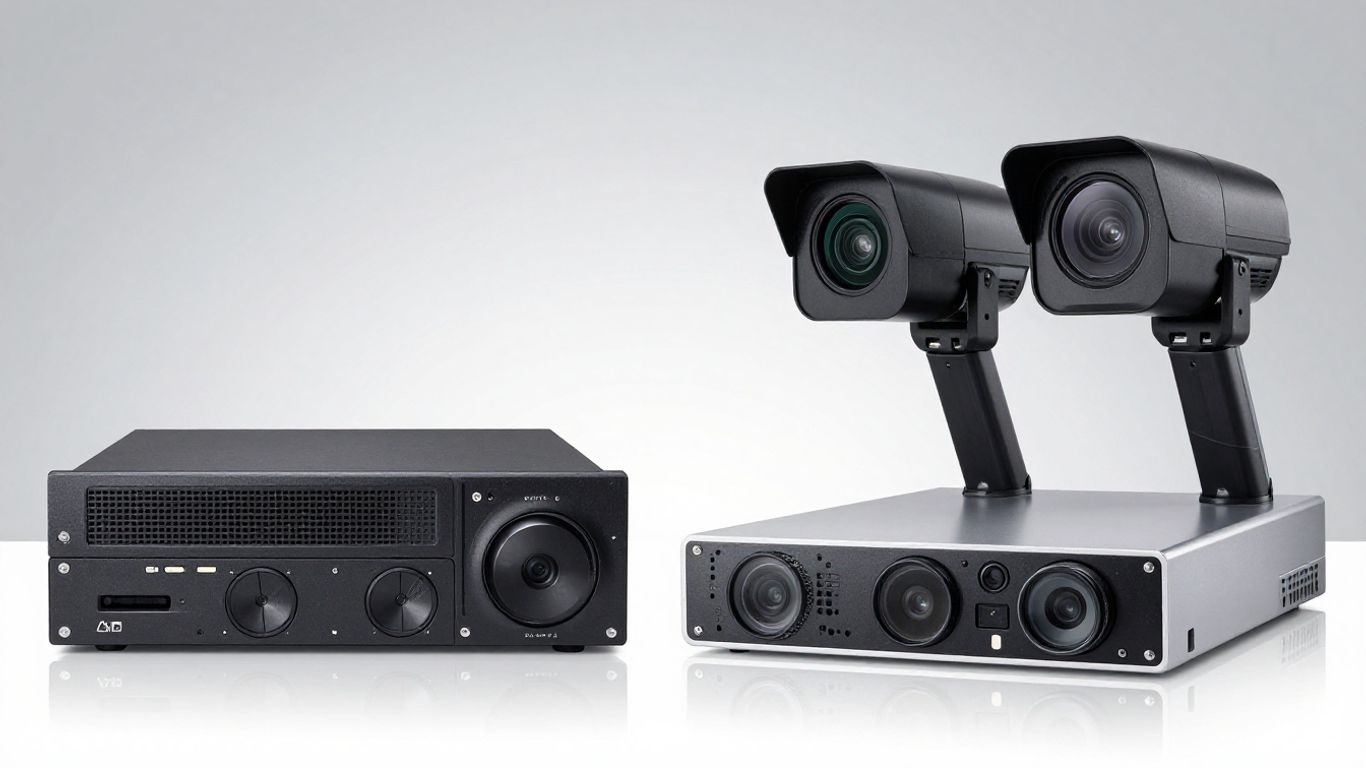
Alright, let's get down to brass tacks. When you're looking at security cameras, you'll hear a lot about DVRs and NVRs. They both record video, sure, but how they do it and what they need is pretty different. Think of it like comparing a landline phone to a smartphone – both make calls, but the tech and what you can do with them are worlds apart.
A DVR, or Digital Video Recorder, is kind of the older sibling in the security camera world. It works by taking analog video signals from cameras and converting them into digital data for recording. The key thing here is that the cameras connect directly to the DVR unit using coaxial cables, the same kind you might use for your TV. This means the video processing happens inside the DVR itself. Because of this setup, DVR systems usually have cameras that are physically close to the recorder.
Now, an NVR, or Network Video Recorder, is the more modern approach. Instead of analog signals, NVRs work with IP (Internet Protocol) cameras. These cameras are essentially smart devices that capture video and send it over a network, usually via Ethernet cables or Wi-Fi. The NVR then acts as the central hub, receiving this digital video data from the cameras across the network. This setup gives you a lot more flexibility in where you place your cameras, as long as they can connect to your network.
The biggest difference boils down to how the cameras talk to the recorder and where the video gets processed. DVRs use analog cameras and process the video at the recorder. NVRs use digital IP cameras, and the cameras often do some of the processing themselves before sending the data over a network to the NVR.
Here’s a quick rundown:
The choice between a DVR and an NVR isn't just about the hardware; it's about the underlying technology and how it impacts your installation, scalability, and the overall quality of your surveillance footage. Understanding these core differences is the first step to picking the right system for your needs.
So, while both systems record video, the way they achieve that goal is fundamentally different, leading to distinct advantages and disadvantages depending on what you're trying to accomplish with your security setup.
Picking the right camera isn’t as simple as buying the fanciest one out there. If your current setup is using a DVR, you’ll most often need analog cameras like HD-TVI or CVI. NVRs, on the other hand, are built for IP cameras that stream data over your network. The real hassle starts if your camera resolution or format doesn’t line up with your recording system. Here’s a quick checklist:
It’s not enough for your camera to work with your recorder—you also need to watch footage easily, wherever you are. Different monitors, apps, and even smartphones may support different file formats and resolutions. Here’s a simple breakdown:
Stuff to remember:
Incompatible footage is frustrating. Smooth playback across devices means you won’t miss critical moments, whether you’re checking a clip at your desk or on your phone halfway across town.
No one wants a system that drops feeds or fails when switching cameras. To keep everything running smoothly:
Making sure all your gear plays nicely together means reliable coverage, fewer headaches, and a lot less troubleshooting when something goes wrong.
When we talk about security cameras, resolution is a big deal. It's basically how much detail you can see in the picture. The main players in this conversation are usually 5MP and 4K cameras. Think of it like this: 5MP is like a really good photograph, and 4K is like a super high-definition movie. Both are good, but one shows a lot more.
So, what's the actual difference? A 5MP camera has about 2.6 million pixels. That's plenty for most situations, giving you clear images that can capture a good amount of detail. You can usually make out faces and license plates pretty well with 5MP. Now, 4K cameras are on another level. They pack around 8.3 million pixels. That's four times as many as 5MP! This means images are incredibly sharp and detailed. You can zoom in much further on 4K footage and still see what's going on, which is a big plus for security. For example, a 5MP security camera offers superior image quality compared to 4MP or 1080p, particularly for capturing distant objects. Higher resolution means more detail and clarity in your footage. superior image quality.
Where does this difference really matter? Well, if you need to identify someone from a distance, or if you're trying to read a license plate on a car that's speeding by, 4K really shines. In low-light situations, that extra detail in 4K can also make a big difference. While 5MP cameras do a decent job, 4K can often provide a clearer picture with less graininess when it's dark. This means you're more likely to get a recognizable image of a person or object, even when the lighting isn't great.
Here’s a quick look at how they stack up:
But here's the catch: all those extra pixels in 4K mean bigger files. This uses more storage space and requires more bandwidth to stream. So, while 4K gives you amazing clarity, you need to make sure your network and storage can handle it. It’s a trade-off. You have to decide if the absolute best image quality is worth the extra cost and complexity for your specific setup. Sometimes, 5MP is more than enough and easier to manage. It really comes down to what you need to see and what your system can support.
Choosing the right resolution isn't just about having the most pixels; it's about having the right amount of detail for your security needs without creating unnecessary technical headaches. Think about what you absolutely must be able to see clearly.
When you're setting up a surveillance system, it's not just about how clear the picture is. You've got to think about what all that data does to your network and how much space it takes up. Higher resolution cameras, like those shooting in 4K, create a lot more digital traffic and need way more storage space than their 5MP cousins. It’s a bit like comparing a trickle of water to a fire hose – both are water, but one moves a whole lot more volume.
Think of bandwidth as the highway for your camera's video stream. A 4K camera can hog up to 50% more bandwidth than a 5MP camera. If you have several 4K cameras running at once, your network could get seriously bogged down. This isn't just about your internet slowing down; it can actually cause your security system to stutter or drop frames, leaving you with gaps in your footage. It’s a balancing act to keep everything running smoothly without overwhelming your network infrastructure.
More pixels mean bigger files. Upgrading from 5MP to 4K can easily double or even triple your storage needs. You'll need to plan for larger hard drives in your recorder or consider network-attached storage (NAS) solutions that can grow with your needs. Faster storage also means quicker access to your recordings when you need them most.
Here’s a rough idea of what to expect:
Choosing the right storage is key. You don't want to run out of space right when something important happens. Make sure your storage can keep up with the data your cameras are sending.
Your network needs to be ready for the data load. This means having a robust router and switches that can handle the traffic. If you're planning a multi-camera 4K setup, you might need to upgrade your network hardware to avoid bottlenecks. It’s worth checking out network video recorders to see how they integrate with your existing setup.
When you're looking at security cameras, the price tag is obviously a big deal. It's not just about what you pay today, but what you'll be shelling out down the road. Let's break down the cost differences between 5MP and 4K systems.
Generally speaking, 5MP cameras are easier on your wallet when you first buy them. They use less complex tech, so manufacturers can make them for less, and that saving usually gets passed on to you. 4K cameras, on the other hand, pack more advanced sensors and processors, which means they cost more upfront. It's like comparing a good sedan to a luxury sports car – both get you there, but one has a much higher starting price.
Here's a rough idea of what you might expect:
Keep in mind these are just estimates, and prices can change a lot based on brand, features, and where you buy them.
So, which one gives you more bang for your buck over time? It really depends on what you need. If you're trying to capture super fine details, like reading a license plate from a distance or identifying a face in a crowd, 4K might be worth the extra cost. You might need fewer 4K cameras to cover the same area with that level of detail compared to 5MP cameras, which could save you money on installation and the cameras themselves in some cases.
However, for many everyday security needs, 5MP cameras provide more than enough clarity. You get sharp images that are great for general monitoring and identifying people or events. If your main goal is reliable surveillance without needing extreme detail, sticking with 5MP could offer a better ROI because the initial cost is lower, and the ongoing expenses are usually less too.
The true value isn't just in the resolution number, but in how well the system meets your specific security goals without creating unnecessary financial strain. Think about what you really need to see and what you can afford to maintain.
This is where the costs can really start to add up, especially with 4K. Those super high-resolution videos take up a lot more storage space. You'll likely need bigger hard drives or more cloud storage, which means ongoing costs. Plus, 4K cameras can use more internet bandwidth, which might mean upgrading your network if it can't handle the load.
Maintenance is another factor. While both types of cameras need occasional cleaning and checks, higher-end 4K systems might have more complex components that could potentially fail or require specialized servicing. 5MP systems are often simpler and more robust, leading to fewer headaches and lower maintenance bills over the years. It's a trade-off: pay more upfront for potentially higher detail, or pay less upfront and manage potentially lower, but more frequent, ongoing costs.
For homeowners, the choice between a DVR and NVR often comes down to simplicity and existing infrastructure. If you've got older analog cameras already wired up, a DVR is usually the path of least resistance. You can often just swap out the old recorder for a new one and keep your existing setup. It's a straightforward way to get basic surveillance going without a whole lot of fuss. Think of it as upgrading your old VCR to a modern DVD player – same basic idea, just a bit better.
Businesses, on the other hand, tend to lean towards NVRs, especially as they grow or build new facilities. The flexibility of IP cameras that NVRs use means you can place cameras pretty much anywhere with a network connection. This is a big deal for larger properties or places with multiple entry points. Plus, NVRs often handle higher resolutions and more advanced features, which can be important for detailed monitoring of sensitive areas or large spaces.
NVR systems offer a more scalable and flexible solution for businesses that need to cover a lot of ground or integrate with other network systems. The ability to use standard network cabling makes installation easier in new builds and renovations.
When you absolutely need to see every little detail – like in a retail environment to identify shoplifters, a warehouse to track inventory movement, or a public space for safety – high-resolution cameras are a must. Both DVRs and NVRs can support high-resolution cameras, but NVRs often have an edge here. They are built from the ground up for digital, high-bandwidth streams, making them better suited for handling multiple 4K or even higher resolution cameras without breaking a sweat. This means clearer images, sharper details, and a better chance of capturing crucial evidence if something goes wrong.
Thinking ahead is smart when you're setting up a security system. You don't want to put in a bunch of cameras today only to find out they're outdated in a couple of years, right? It's all about building a system that can grow with your needs and keep up with new tech.
When you're looking at cameras, especially thinking about that jump from 5MP to 4K, it's not just about getting the sharpest picture right now. It's about making sure your whole setup can handle it, both now and later. This means checking if your current network can handle the extra data that higher resolution cameras send. If you go with 4K, you'll need more bandwidth, and your storage will fill up faster. So, it's a good idea to plan for that. Maybe your current NVR or DVR can handle it, or maybe you'll need an upgrade down the line. Thinking about scalability means picking gear that won't hold you back when you want to add more cameras or bump up the quality.
Here are a few things to keep in mind:
Planning for future upgrades means you won't have to replace your entire system when new technology comes out. It's about making smart choices now that save you headaches and money later.
Security isn't static. Threats change, and so should your system. Having cameras that can capture fine details, like license plates or faces from a distance, is a big plus. If you're thinking about 4K, you're getting a lot more detail, which can be super helpful if something actually happens and you need to identify someone or something. But it's not just about the resolution. You also need to think about software updates. Manufacturers often release updates to fix bugs or add new features, and sometimes these updates help protect against new security risks. So, keeping your system's software up-to-date is just as important as having good cameras.
Ultimately, future-proofing is about getting the most bang for your buck over the long haul. It means not just buying the cheapest option today, but investing in a system that will serve you well for years to come. This might mean spending a bit more upfront for a system that's more flexible and powerful. For example, choosing cameras that support multiple video streams at different resolutions can be a smart move. You could record in high quality but stream in lower quality to save bandwidth when you're checking in remotely. It's about making choices that give you options and keep your security system relevant, no matter what comes next.
Alright, so we've looked at DVRs and NVRs, and honestly, there's no single 'best' answer that fits everyone. It really comes down to what you need right now and what you're planning for the future. If you've got older analog cameras already set up, a DVR might be the simpler, more budget-friendly route to get things rolling. But if you're starting fresh or want the sharpest, most flexible system with IP cameras, an NVR is probably where you'll want to put your money. Think about your budget, how many cameras you need, and how clear you need the footage to be. Don't forget to check if your network can handle the data, especially if you're thinking about those super high-resolution cameras. Ultimately, the right choice is the one that gives you peace of mind without breaking the bank or causing a headache down the line.
Think of a DVR like an old VCR that only records video from cameras directly plugged into it. An NVR is more like a modern computer that records video from cameras connected over a network, like your home Wi-Fi. This means NVRs offer more flexibility in where you place your cameras.
Not always. DVRs usually work with special analog cameras, while NVRs are designed for digital IP cameras. You need to make sure the camera you choose is compatible with your recorder, kind of like making sure your phone charger fits your phone.
Yes, 4K is a big step up! It has way more tiny dots (pixels) than 5MP, making the picture super clear and detailed. This is great for seeing small things far away, like license plates, but it also means the video files are much bigger.
It can! Because 4K videos have so much information, they use a lot more internet 'speed' (bandwidth) than 5MP videos. If you have many 4K cameras, it might slow down your internet for other things, or you might need a faster internet plan.
Generally, 5MP cameras and their systems are less expensive to buy upfront. 4K cameras cost more, and because they create larger video files, you'll likely need more storage space, which also adds to the cost over time.
You should go for 4K if you absolutely need the clearest possible picture, like for identifying faces or license plates from a distance, or in places where you might need to zoom in a lot without losing detail. For most everyday security needs, like keeping an eye on your yard or front door, a 5MP camera offers a great balance of clarity and affordability.
Connect with us to explore our scalable solutions tailored to your unique needs and receive a personalized free quote.